Better safety features make laser engravers more popular than ever - a guide to the ins and outs of laser engraving and cutting
SOURCE:Tom's Hardware|BY: Denise Bertacchi
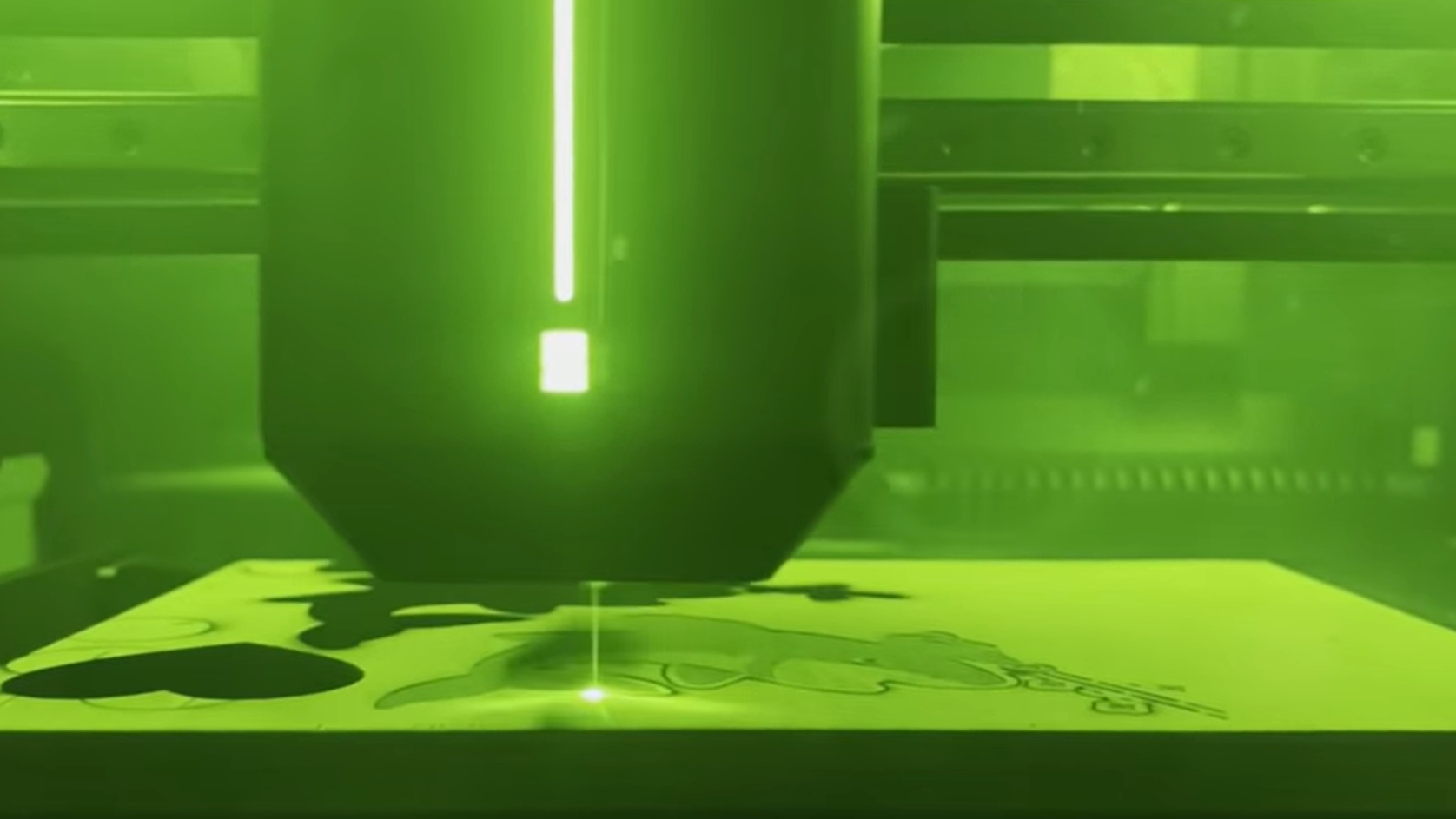
Upgraded safety systems make modern lasers easier to trust and easier to recommend.
(Image credit: Tom's Hardware)
Laser engravers, the crafting kind, not the sci-fi kind, are quietly taking over workshops, maker spaces, and craft rooms. Once restricted to industrial settings, consumer-grade laser cutters and engravers have become more powerful, easier to use, and much safer. Today, hobbyists can engrave wood, acrylic, stone, leather, and even certain metals without renting factory space or risking their eyesight. Here's a guide to the latest features and types of lasers present on the best laser cutters and engravers available on the market.
Why Lasers Cutters Are Getting Popular
Lasers are incredibly easy to use and don’t require a degree in mechanical engineering to operate. An affordable desktop laser can engrave nearly anything you can fit under the lens, from organic materials to metals. Lasers can be used to make keychains, ornaments, earrings, puzzles, signs, rubber stamps, or even custom jigs.
You also don’t need to be an artist to create beautiful objects with a laser; it can even be used to transfer purchased designs or clip art onto unadorned blanks. Objects like tumblers, cutting boards, and plain boxes can be found at Amazon, IKEA, and even Walmart. You can also repurpose thrift store finds into marvelous treasures with a bit of clever laser engraving.
Software for designing laser projects is typically easier than CAD software needed for 3D printing. Instead of wrestling with meshes and geometry, a beautiful laser project can be whipped up with coloring book outlines or simple vector paths. Many manufacturers now bundle easy-to-use design software with their machines for free.
Who Can Use a Laser?
Almost anyone. If you can draw a line, a laser can cut it. A basic laser pattern can be made from clip art, a coloring book page or a kid’s doodle. All you need to do is feed a clear image with bold contrast into your laser’s design software and ask it to trace. It’s really that easy.
Obviously, if you’re more artistic, crafty or have a bit of woodworking experience, you’ll be able to create more complex projects. Many manufactures also include access to file sharing sites where you can download expertly made patterns to follow.
Laser Cutters vs. 3D Printers
Both laser cutters and 3D printers are appealing to the DIY maker set, but they serve different purposes.
Get Tom's Hardware's best news and in-depth reviews, straight to your inbox.
3D Printers let you build nearly anything from molten plastic, but require significant design skill and can be slow. Prints can take hours or even days, and machines need constant maintenance and readily available spare parts.
Laser Cutters are fast and able to work with beautiful organic materials like wood and leather. It's ideal for creating signs, adding logos, and quick customizations. Maintenance is simpler; just keep the optics clean and ensure ventilation. Lasers have fewer moving parts, so there is less of a chance of mechanical failure.
However, lasers come with real safety concerns. They cut by literally setting things on fire, which creates smoke and obvious safety hazards. They require more attention and more safety precautions. I wouldn’t blink at leaving the house while my 3D printer churns out a three-day print, but I rarely leave the room while my laser is running.
The Safety Revolution
Early hobby lasers were almost comically unsafe. My first machine was an open-frame 5W diode bolted to a bare bones XY gantry with a plastic “hood” meant to shield your eyes. The manufacturer insisted the tinted acrylic was enough, but still included a pair of (uncertified) UV safety goggles. The machine had to be isolated behind closed doors so my pets or kids didn’t wander in while it was running. And ventilation? One of the first lasers I used came with a cooling fan strapped to a simple filter to “manage fumes.” It set off my smoke detector. It wasn’t long before I had my husband install a proper exhaust fan in the craft room to pull smoke and fumes outside.
I’ve learned my lesson and no longer recommend open frame machines. Laser-proof enclosures are a must-have piece of equipment. Manufacturers now agree, and today you’ll be hard-pressed to find a laser cutter or engraver that doesn’t come with a built-in enclosure to keep everyone in the room safe from stray beams.
The best laser tools have interlock switches that disable the beam if the lid opens, proper filtration, emergency stop buttons, and fire detection systems. Safety isn’t an afterthought; it’s a selling point. Even an inexpensive laser will come with a hose pipe so you can vent the machine out through an open door or window.
These thoughtful improvements make a real difference. Lasers have improved largely because they’ve become safer. More people feel comfortable using them in homes and studios, and there are even units perfectly safe to take to events.
What You Can Cut (and What You Can’t) with a Laser
Lasers can cut and engrave wood, stone, acrylic, and some plastics, but not all materials are safe. PVC and vinyl release toxic chlorine gas, polycarbonate melts rather than cuts, and reflective metals can bounce the beam back into your machine. Some painted materials may smoke or catch fire. Even leather can be risky: only untreated, vegetable-tanned leather is safe, while chrome-tanned or heavily dyed leather can release harmful fumes.
A good rule of thumb is to stick to untreated “organic” materials. Plus, you can always buy laser-safe materials and ready-to-laser blank stock from manufacturers like xTool and Bambu Lab.
How Lasers Work
All laser cutters and engravers use highly focused light at very specific wavelengths. Consumer lasers generally fall into three main categories: Diode, Fiber, and CO₂. Diode lasers themselves operate at different wavelengths: UV, blue, or near-infrared (IR), with each wavelength better suited for cutting or engraving particular materials.
It helps to understand what we mean by wavelength. Light waves are measured in nanometers (nm), which are billionths of a meter. Visible light from the sun, a light bulb, or a laser cutter spans roughly 400-700 nm, with blue on the shorter end and red on the longer. Different wavelengths interact with materials differently: shorter wavelengths tend to produce fine detail with less heat, while longer wavelengths penetrate more deeply and can leave charred marks.
For example, standard blue diode lasers that burn through wood are around 450 nm, while fiber lasers for metal marking are about 1064 nm. CO₂ lasers, which operate at 10.6 microns (10,600 nm), are far into the infrared, producing heat that can slice through wood, acrylic, and leather more effectively than most diode lasers.
Wave Lengths of Consumer Laser Cutters and Engravers
▶️ UV Lasers (355 nm)
True ultraviolet (UV) lasers are just starting to appear in the consumer market. Often referred to as “cold lasers,” they can produce cleaner, more precise marks without heating up the material. UV lasers excel at marking plastics, coated metals, and electronics without burning or melting the material. They can also be used to etch or “inner engrave” glass blocks and spheres.
▶️ Blue Diode Lasers (445–455 nm)
Blue diodes are the most common for hobby use. Basic crafting machines often start at 3W, which is sufficient for engraving paper or cardstock. A 5W module is well-suited for wood and leather engraving, while higher-power diodes (up to 40W) can cut thicker wood or leather or etch stone. Generally, the higher the power, the thicker the material the laser can cut.
▶️ Infrared (IR) Diode Lasers (808–980 nm)
Low-power IR lasers are primarily used for metal marking and etching, not for cutting. They differ from blue diodes in both wavelength and material interactions, making them ideal for certain metal applications.
▶️ Fiber Lasers (1064 nm)
Fiber lasers are more expensive than diode lasers, but excellent for metal marking and cutting. They produce a wavelength that couples efficiently with metals, making them ideal for engraving jewelry, electronics, or small steel parts.
▶️ CO₂ Lasers (10,600 nm)
CO₂ lasers are larger, more powerful, and more expensive. These lasers use a mixture of gases (mainly CO₂) sealed in a tube to generate the laser beam. They also need liquid cooling to operate. They can deliver 40–150W of optical power, slicing through acrylics, plywood, leather, and other organic materials that diode lasers struggle with. Because they operate far in the infrared, they rely on heat to cut or engrave rather than material absorption of visible light.
Power Matters
Power, measured in watts, determines how fast and deep a laser can cut. A 3W diode can gently engrave cardstock, while a 40W CO₂ machine can slice through quarter-inch plywood like butter. Choosing the right power depends on your material and project goals. High wattage also improves cutting speed, which is especially useful for thicker materials or repeated production runs.
High-power laser cutters often use air assist, which blows a focused stream of air directly onto the cutting spot. This clears smoke and debris, keeps edges crisp, and helps prevent flare-ups or small fires. By keeping the cutting zone clean and slightly cooler, air assist makes cuts faster, safer, and more precise, especially on wood, leather, or other flammable materials.
The Bottom Line
Lasers have come a long way from industrial curiosities to powerful, safe, and accessible tools for home workshops. They combine speed, precision, and versatility, allowing hobbyists and small business owners to create professional-quality projects with minimal setup. Understanding wavelengths, power, and material compatibility ensures better results and keeps your laser safe.
Whether you’re personalizing gifts, engraving signs, or making custom components, laser cutters and engravers open up a world of creative possibilities for makers of all skill levels.
Denise Bertacchi is a Contributing Writer for Tom’s Hardware US, covering 3D printing. Denise has been crafting with PCs since she discovered Print Shop had clip art on her Apple IIe. She loves reviewing 3D printers because she can mix all her passions: printing, photography, and writing.