I finally found smart glasses I like wearing at CES
The learning curve isn't steep when you're excited to wear something new.
Ryan Haines / Android Authority
I can’t pretend to have a long history with smart glasses — AR, XR, VR, or anything else. I’ve worn pairs here and there, but I’ve often felt like the displays were either too awkward or the strapped-in sensation gave me immediate motion sickness. So, I thought I’d go through CES 2026 like any other year, with only my trusty (cheap) sunglasses to keep me company.
Then, I heard about Even Realities and its updated Even G2 design, and decided that I’d put my spotty history on the shelf for a day. I headed to the Las Vegas Convention Center, tracked down the company’s CEO, Will Wang, and asked if I could try on his glasses.
I couldn’t be happier that I did.
If I didn’t know better, I’d think these were regular glasses
Ryan Haines / Android Authority
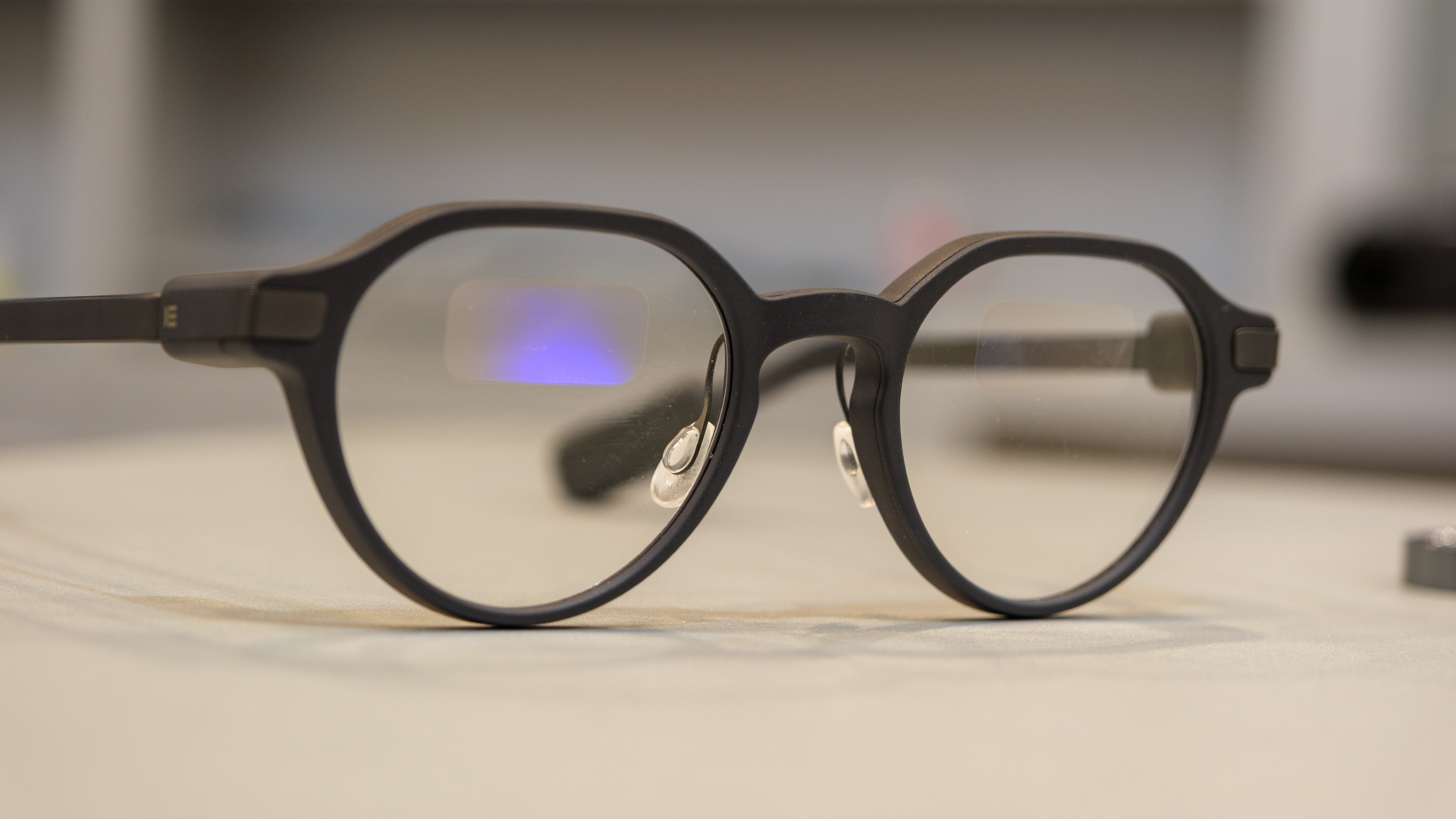
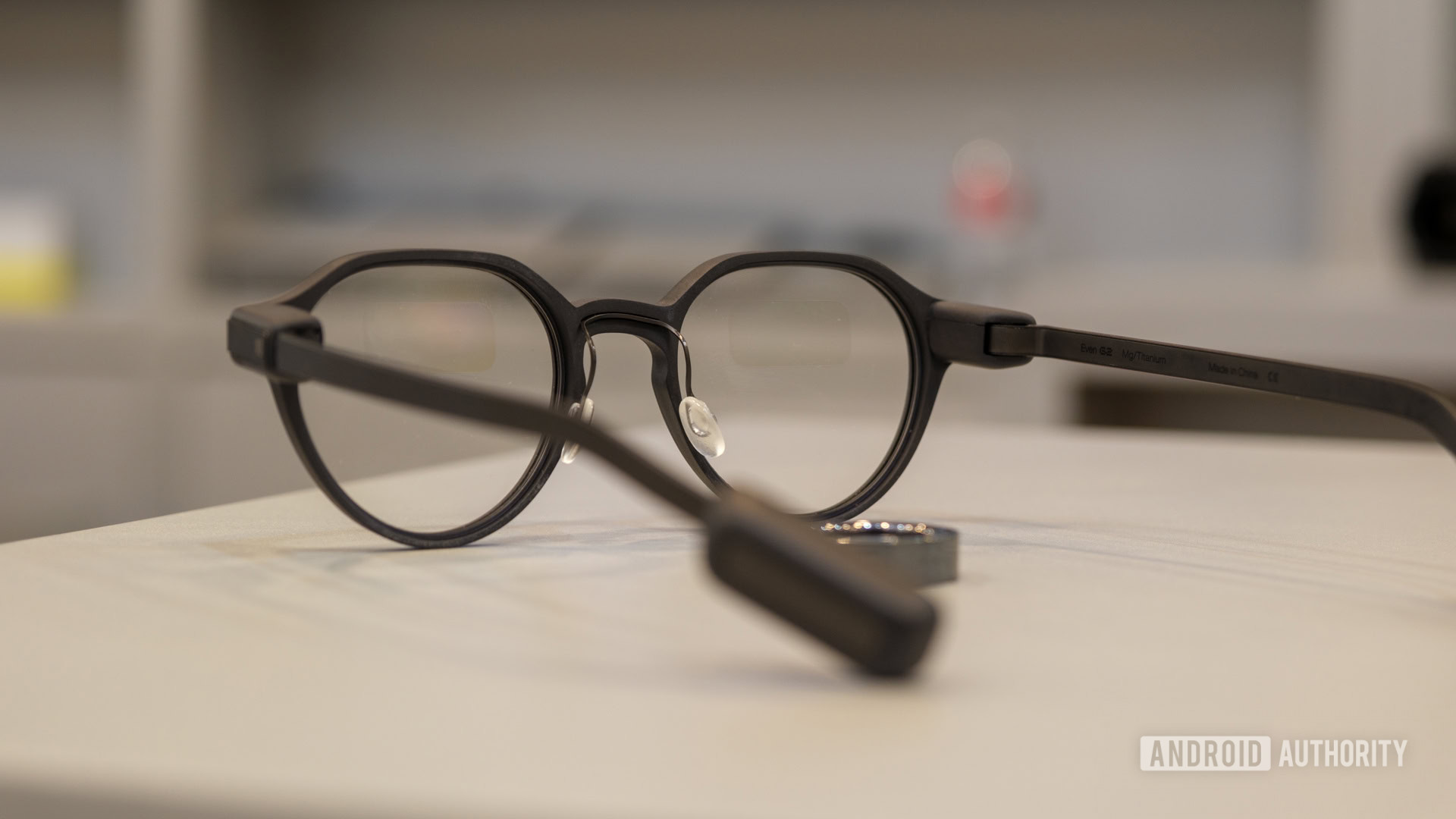
The first thing that caught my eye — pun intended — about the Even G2 was the fact that they look like regular glasses. There’s no front-facing camera, no thick display in each lens, and no bulk around the frame, well, except for the very important touch controls that sit at the back of each arm. As a guy with longer hair, though, I already knew those larger controls would disappear without a second thought. They did.
From the moment I put on the Even G2, it felt like I was wearing normal glasses, to the point where I actually put them too close to my eyes. At first, I thought I must have been doing something wrong, as I couldn’t really see the illuminated green text fields. However, a quick slide down my nose, and I was in business. I set about resizing the nose pads for a perfect fit and listened to Will detail some of Even Realities’ design choices.
The best smart glasses are the ones that just feel like glasses.
He mentioned almost immediately that he and some of his team had spent time at Apple, and it shows. The Even G2 feel polished yet practical, sturdy yet sleek, and I might have zoned out once or twice looking at them on my face in the tabletop mirror. In my defense, I don’t normally wear glasses, so I was simply getting used to the idea of frames I could wear all the time — no prescription required. You can, of course, opt for prescription lenses at an additional cost if needed. There’s also an optional sunglasses clip-on, which has the added bonus of making the display a bit easier to see against cluttered backgrounds.
Now, I do think I was lucky that Will sized me up as I got to the booth and grabbed a round pair of the Even G2 for me to try on. They kind of remind me of Harry Potter’s glasses, but in a slightly thicker, more grown-up way. Even Realities also offers a square-framed version of the G2 if you’re after the classic Clark Kent look, but I’m pretty pleased with the pair I tried on.
If I had to pick one hiccup with the Even G2, though, it would be that I’m just not used to wearing glasses yet. I’m still figuring out how to position the frames on my nose, which has led to a tight squeeze or two where I’ve felt like I couldn’t breathe from my nose quite right. That’s mostly gone away as I’ve continued to wear them, but it’s certainly worth mentioning for those who don’t spend their days in glasses.
Even Realities’ smart features actually make sense
Ryan Haines / Android Authority
Now that I’m done gushing over the hardware, let’s pivot to the smart part of the smart glasses: Even Realities’ clever set of AI-enhanced features. Unfortunately, I couldn’t figure out a great way to take pictures of the display inside the glasses, so you’ll have to give me a little benefit of the doubt as I describe things. But first, a note on the Even G2’s controls.
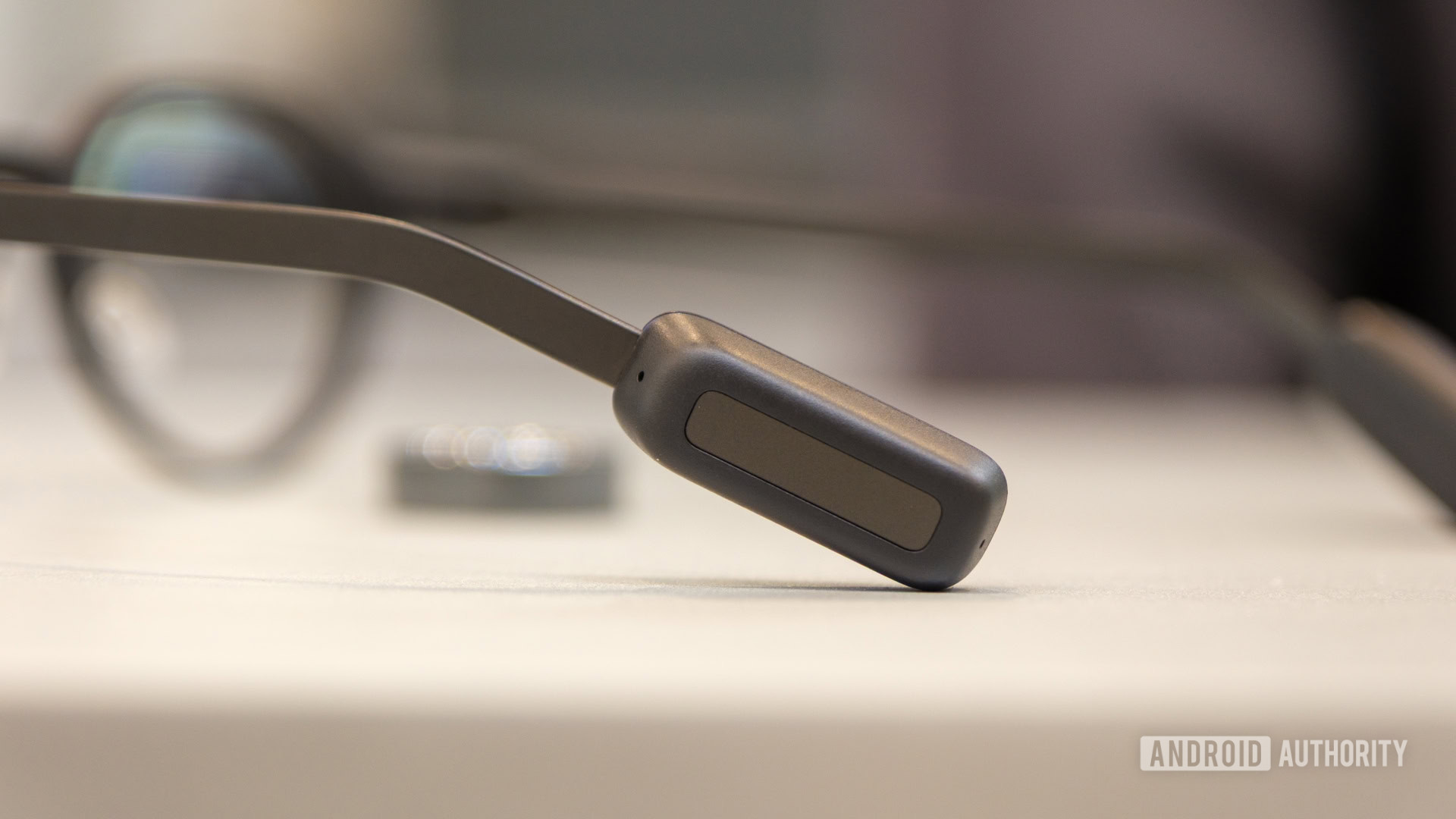
If you just pick up the glasses themselves, you’ll manage everything from the touch pad pictured above. It wakes with a double tap, navigates with a swipe, and opens the additional menu with a longer press — pretty much the same as if you were wearing Bluetooth earbuds. When you get to that menu, you’re met with a pretty good slate of options, including Conversate, Translate, Teleprompt, and Navigate, all of which I plan to use during the rest of my time at CES.
Of the bunch, I think I’ll probably get the most use out of Navigate and Conversate once I leave Las Vegas, but I’m most excited about the latter. Conversate on the Even G2 works like an enhanced transcription, following along with both halves of your conversation, making notes and creating an AI summary as you go. More impressively, though, it also looks for context within your conversation.
It's so easy to launch features on the Even G2 that I'm actually excited to keep my phone in my pocket.
While talking to Will, we got on the topic of some of the executives at Lenovo’s Tech World keynote, and I watched the Even G2 rattle off each person’s position and company to me in real time. And, if you’re worried about remembering all the notes the glasses feed you, don’t worry, as they’re saved in the Even Realities app for later review.
As for the Navigate feature, I hope it’s pretty self-explanatory. In my mind, it works like a heads-up display, providing a visual cue of where to turn and when as you go about your everyday life. I’m not really sure whether it’s best intended for walking instructions or driving, but I’ll probably start on foot before maybe testing my bike.
Given the chance, I’ll also happily jump back into the Translate feature, as I’ve worn a few other smart glasses here at CES that offer similar features. Will was kind enough to demo that one for me by speaking a few sentences of Chinese, and I felt like the Even G2 did a pretty good job of translating. I can’t say I was suddenly able to speak Chinese back to him, which could be a sticking point if you try to use the glasses in your own life, but they feel much more natural than pulling up a phone to use Google Translate.
I’ve never been a glasses guy, but the Even G2 are changing my mind
Ryan Haines / Android Authority
Perhaps the most exciting part of my time with the Even G2 was that at the end of it, Will had another pair for me to take along with me for further exploration. And, in the hours since I first met him, explore I have. I’ve kept the Even G2 pretty much glued to my face as I’ve walked around Las Vegas, bouncing from one appointment to the next. Through them all, I’ve picked up compliment after compliment on my glasses, with only one or two close friends remembering that I don’t usually wear them.
In that time, most of the controls that I initially struggled with have become second nature. I’m a pro at finding the touch pad behind my ears, and I’ve trained myself to use the glasses’ look-up gesture to check a notification without using my hands.
Now that I feel like a pro with the Even G2, I'm ready to add the Even R1 to my setup.
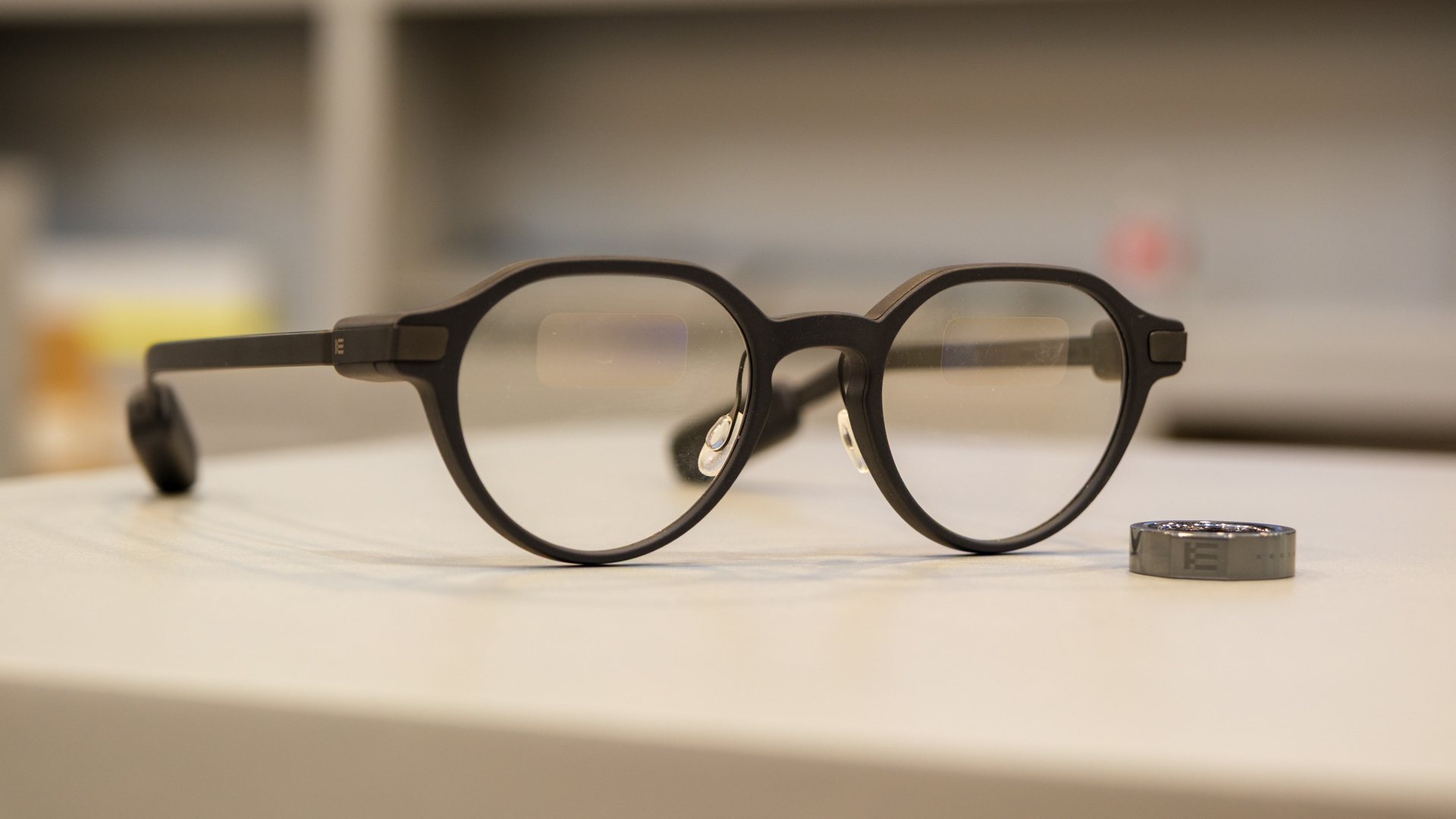
There is, however, one thing I’d still like to test out, and that’s the Even Realities Even R1 smart ring. It’s a small companion to the glasses that takes over for the touch pad, letting you navigate and tap without having to bring your hand to your ear. I, of course, didn’t have one waiting for me when I went to the booth, mostly due to sizing uncertainties, but it’ll be another good way to expand my wearable horizons.
And, as I head off to bed as CES draws to its last few days, I’ve tucked my Even G2 back in their carrying case, which also happens to double as a wireless charger. I’m guessing this will become part of my daily routine, keeping the frames fully charged each morning so I’m ready to test out more and more features when I wake up.
Even Realities Even G2

Simple touch controls • Clean design • Helpful smart features
MSRP: $599.00
The Even Realities Even G2 strike the perfect balance between comfort and capability.
The Even Realities Even G2 are some of the most comfortable, most natural-looking smart glasses we've ever worn. They're not too bulky, nor are their features too cumbersome, adding clever capabilities like conversation notes and real-time translation at the press of a button. Oh, and did we mention they look like normal glasses?
Follow
Thank you for being part of our community. Read our Comment Policy before posting.