I spent 30 minutes with the Clicks Communicator, and it’s now my most hyped 2026 Android phone
Give it to me noooowwww.
Joe Maring / Android Authority
For all the people who say smartphones are boring and that innovation is dead, CES 2026 is quickly proving them wrong. Between the Samsung Galaxy Z TriFold, Motorola Razr Fold, and Punkt MC03, we’ve seen numerous Android phones that all bring something fresh and new to the table.
But as impressive as those phones are, there’s another Android handset I saw at this year’s CES that has me even more hyped. It’s called the Clicks Communicator, and after just a 30-minute briefing/hands-on session, I can confidently say it’s the most excited I’ve been about a new Android phone in years.
If you have’t heard of the Clicks Communicator before, the general idea is this: It’s an Android phone designed with the singular goal of being the best communications device possible. It’s not meant to be a mobile gaming powerhouse, the best phone for Netflix binge sessions, or a camera champion. Instead, it’s meant to be the best Android phone you can buy for managing emails and triaging endless text messages.
It’s a fascinating mission, and one I’ll discuss more later, but what’s also so intriguing about the Communicator is how radically different its hardware is from virtually every other Android phone available today.
Would you buy the Clicks Communicator?
346 votes
Joe Maring / Android Authority
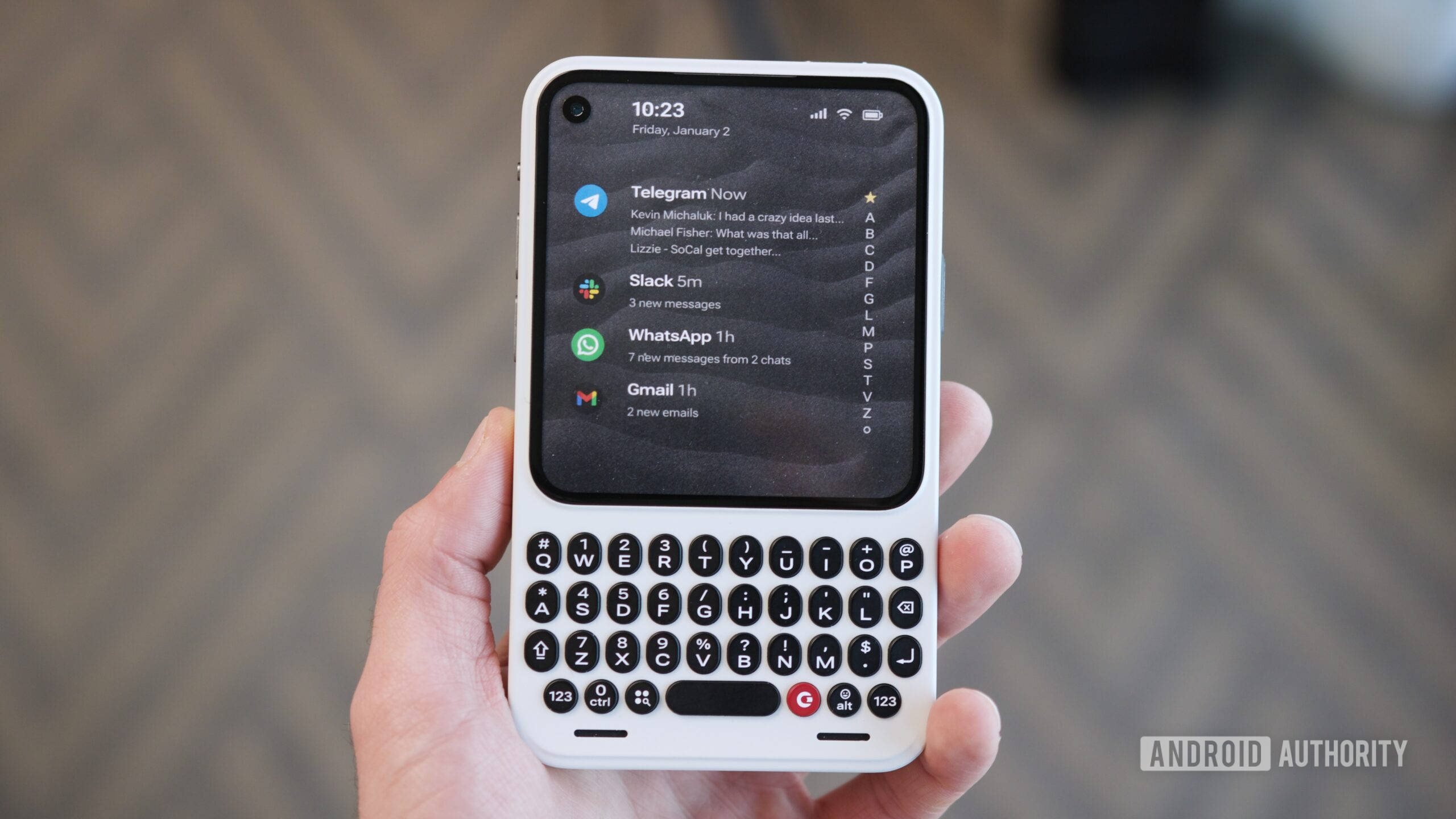
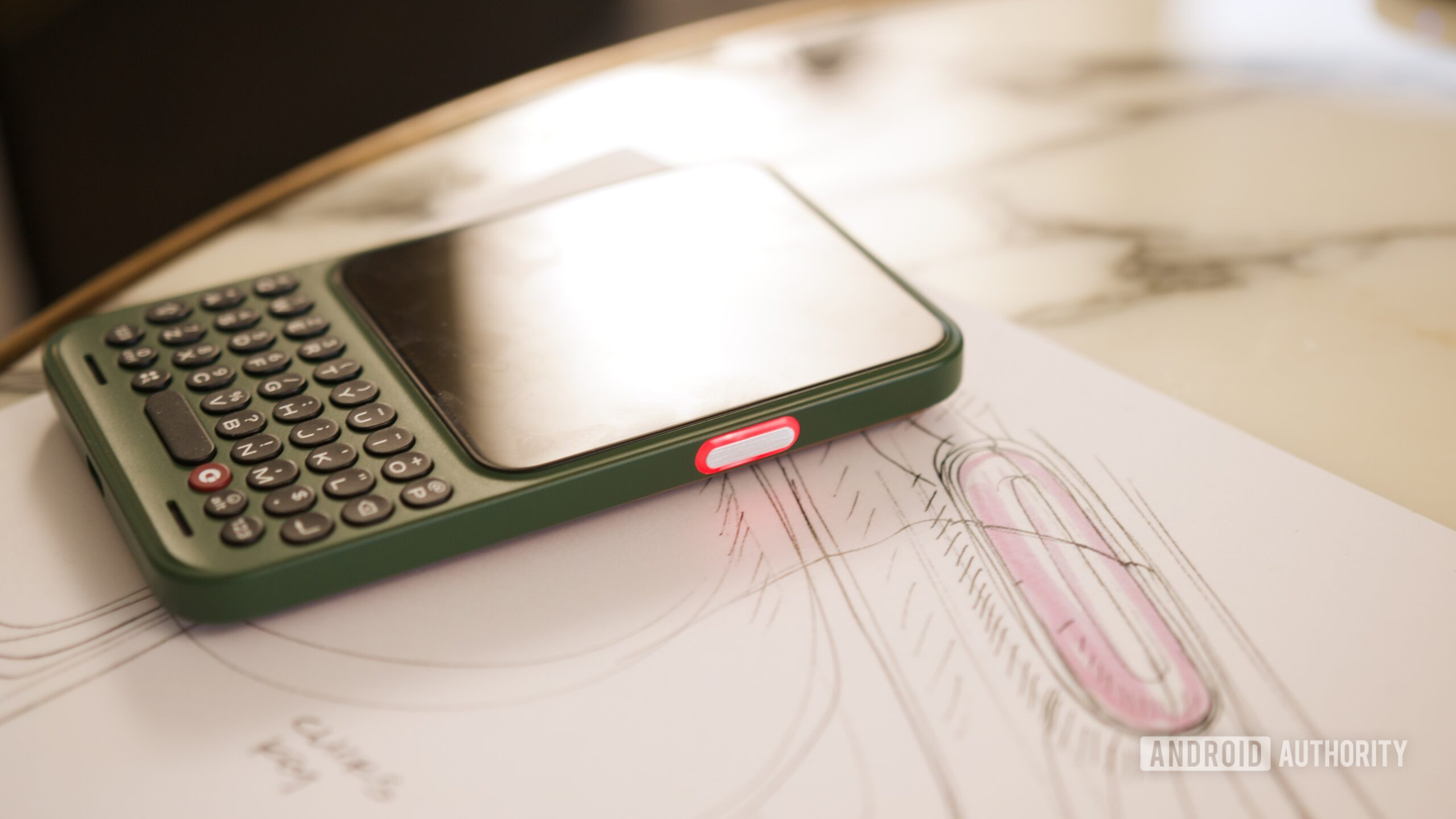
As you’ve likely noticed, the Clicks Communicator doesn’t look like most modern Android phones — largely because it has a keyboard!
Below the 4.03-inch AMOLED display is a full QWERTY keyboard, which feels outstanding. The keys are about 30% larger than those on other Clicks keyboards (including the new Clicks Power Keyboard) and are shaped like an oval rather than circular. I certainly need more hands-on time to determine just how fast and accurate my typing will be, but even after just a few minutes playing with the keyboard, it felt noticeably more comfortable than Clicks’ other products.
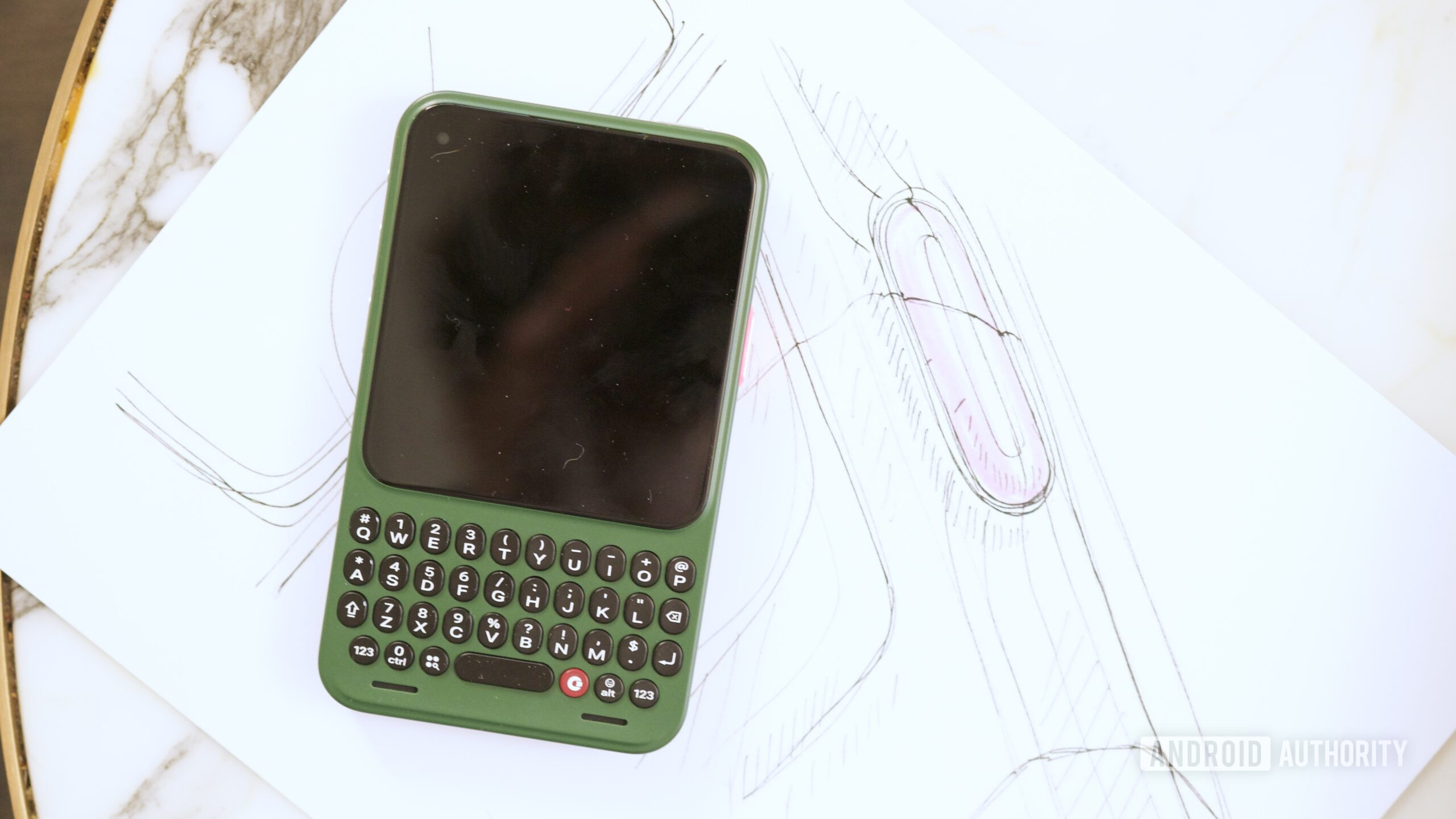
What’s also unique about the Communicator’s hardware is its back design. Using magnetic backplates, you can easily change the phone’s color whenever you want. I saw pink, blue, green, red, yellow, and black plastic backplates, plus a really lovely leather option that felt incredible. Hardware customization to this extent is all but nonexistent with current Android phones, and I couldn’t be happier to see it return on the Clicks Communicator.
Joe Maring / Android Authority
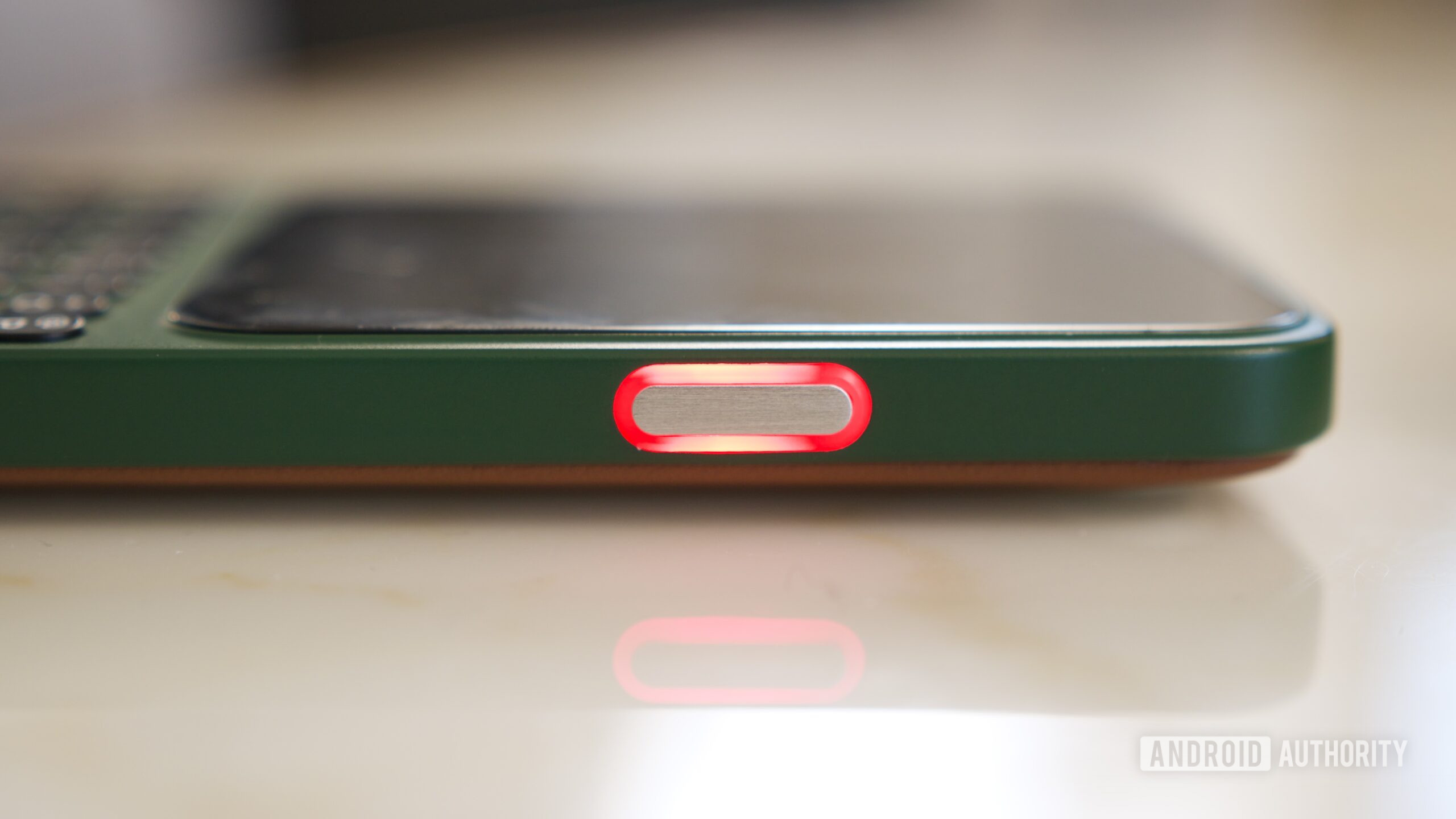
That’s also true of another hardware feature: the phone’s LED notification light. It’s wrapped around the Communicator’s customizable side button, and you can assign different colors for specific contacts and applications. The light is very bright and easy to see, whether the phone is lying on its back or front. And if that’s not enough hardware button goodness for you, there’s also a physical slider on the other side of the phone you can map to toggle on Do Not Disturb, airplane mode, your flashlight, etc.
So many of these hardware decisions feel tailor-made for a phone nerd like me.
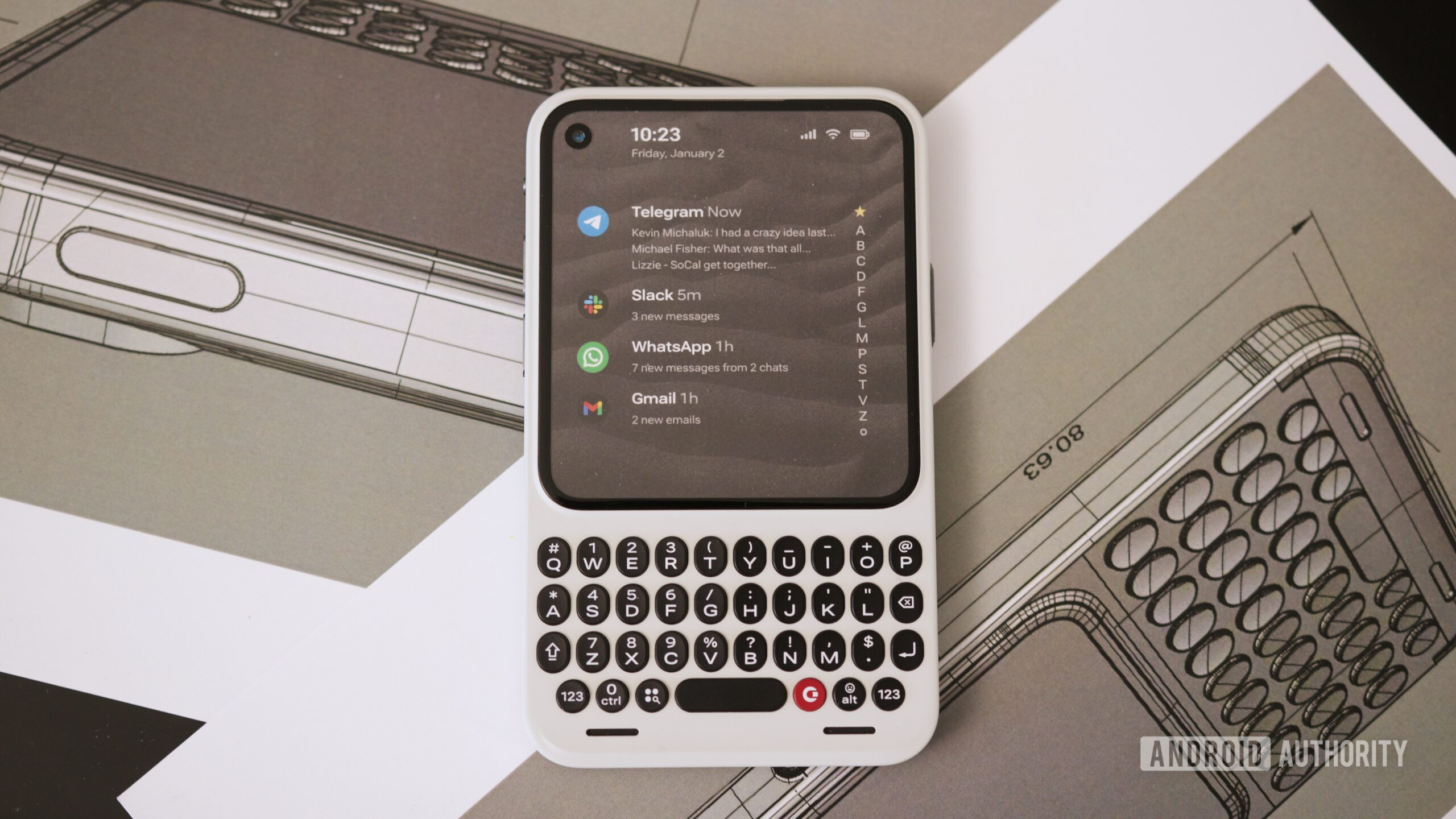
So many of these hardware decisions feel tailor-made for a phone nerd like me, which makes sense, given that notable tech YouTuber Michael Fisher is a co-founder of Clicks. These are the things I’d want to see in an Android phone, and lo and behold, they’re all here on the Communicator. That’s true of many of the Communicator’s other specs, too. There’s 256GB of base storage with the option to expand it up to 2TB via a microSD card. Qi2 magnets are built into the swappable back covers, and there’s even a 3.5mm headphone jack.
Joe Maring / Android Authority
At this point in the article, I should note that the version of the Clicks Communicator I used wasn’t fully functional. I got to hold the phone, play with its keyboard, and check out its LED notification light, but the Communicator didn’t actually power on; the version I used was just an early hardware sample. That means we still don’t know what the display quality looks like, how responsive/performant the phone’s chipset is, how good the cameras are, etc. In other words, there are still plenty of unanswered questions.
But even with those unanswered questions, what I have seen of the Clicks Communicator is more than enough to solidify it as one of the Android phones I’m most looking forward to in 2026.
You can use the Clicks Communicator as your primary smartphone, but Clicks is also marketing it more heavily as a secondary phone meant to complement your Pixel 10 or Galaxy S25. That’s exactly how I want to use the Communicator. A compact phone with a full-on keyboard, a helpful notification light, and multiple customizable hardware buttons checks all of the right boxes for me, and I could easily see myself using the Communicator in a variety of situations — whether that’s as a work machine while running around CES or having something simpler and more focused to use during the weekend.
Joe Maring / Android Authority
I’ll be the first to admit that the concept of a secondary, single-purpose phone is extremely niche, but I think that’s the whole point of the Clicks Communicator. If the idea of using two phones sounds ridiculous, the Communicator probably isn’t for you — just like if you don’t place much value in a physical keyboard and notification LED. And that’s OK! The Communicator isn’t trying to be for everyone.
But for the people the Communicator is targeted at — people like me — it’s impressive how well-suited for us it appears to be. I’m eager to see how the Clicks Communicator comes together in the final retail version, but even this early, it’s pretty damn promising.
Follow
Thank you for being part of our community. Read our Comment Policy before posting.