Spotify adds real-time listening activity to Messages, with group chats coming soon
There's also a new Request to Jam feature, making it easier to start shared listening sessions with friends.

Edgar Cervantes / Android Authority
TL;DR
- Spotify Messages now offers an opt-in Listening activity feature, allowing connected friends and family to see what you are playing in real-time.
- A new Request to Jam button has been added to chats, making it easier to coordinate and start remote shared listening sessions.
- The features are rolling out to iOS and Android users in markets where Messages is enabled. Group chat support is planned for the near future.
Spotify rolled out a Messages feature in August last year, and today, the company is expanding its functionality with Listening Activity and Request to Jam.
Listening activity is an opt-in feature that allows Spotify users to display the music they’re currently listening to within Spotify Messages in real-time. If you’re not actively listening, your most recently played song will be displayed instead.
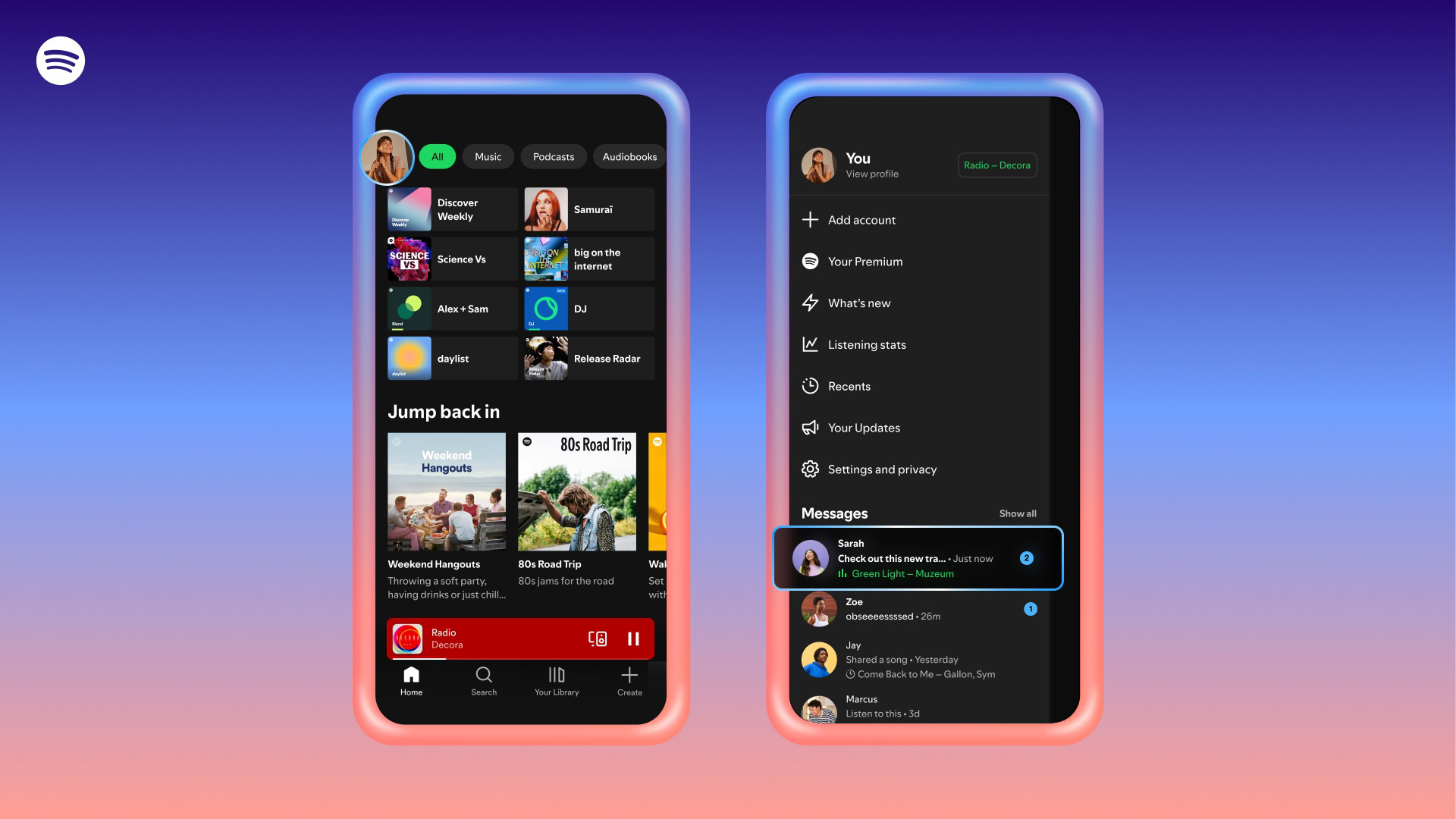
Listening activity is visible only to friends and family you have already connected with on Spotify Messages. You can see others’ activity even if you haven’t turned your own activity on, as long as they’ve opted in.
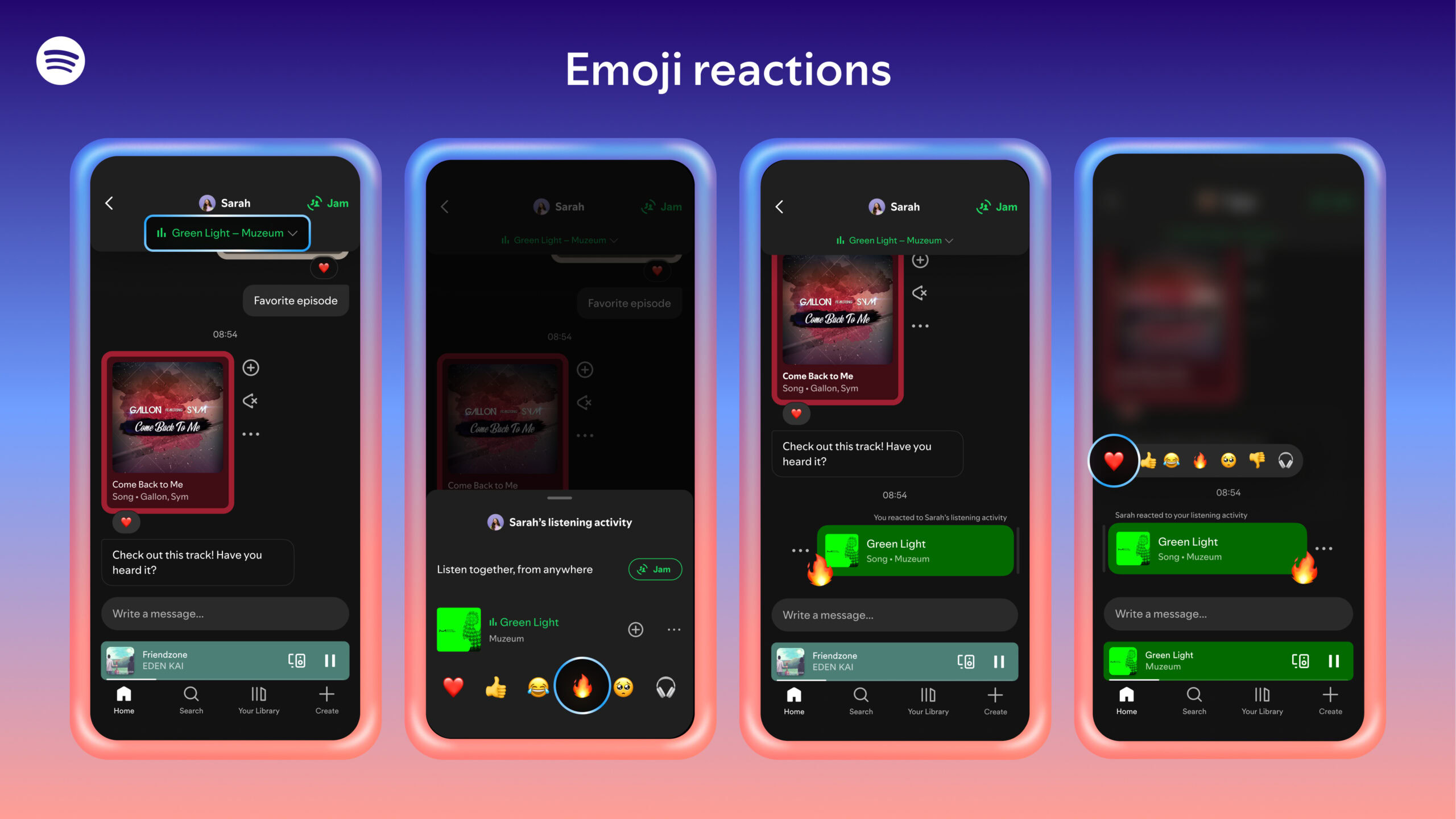
If a user taps on their friend or family member’s listening activity, they’ll be able to add tracks to their library, start playback, open the track’s context menu, or react with one of six standard emojis.
Spotify Jam is one of my favorite features, and I frequently use it for joint listening sessions with my long-distance friends. However, coordinating a Jam session is a task by itself. With Listening activity now being a feature, it’s easier to figure out when someone is actively listening to music on Spotify, and so, the company is adding a Request to Jam feature to complement it.
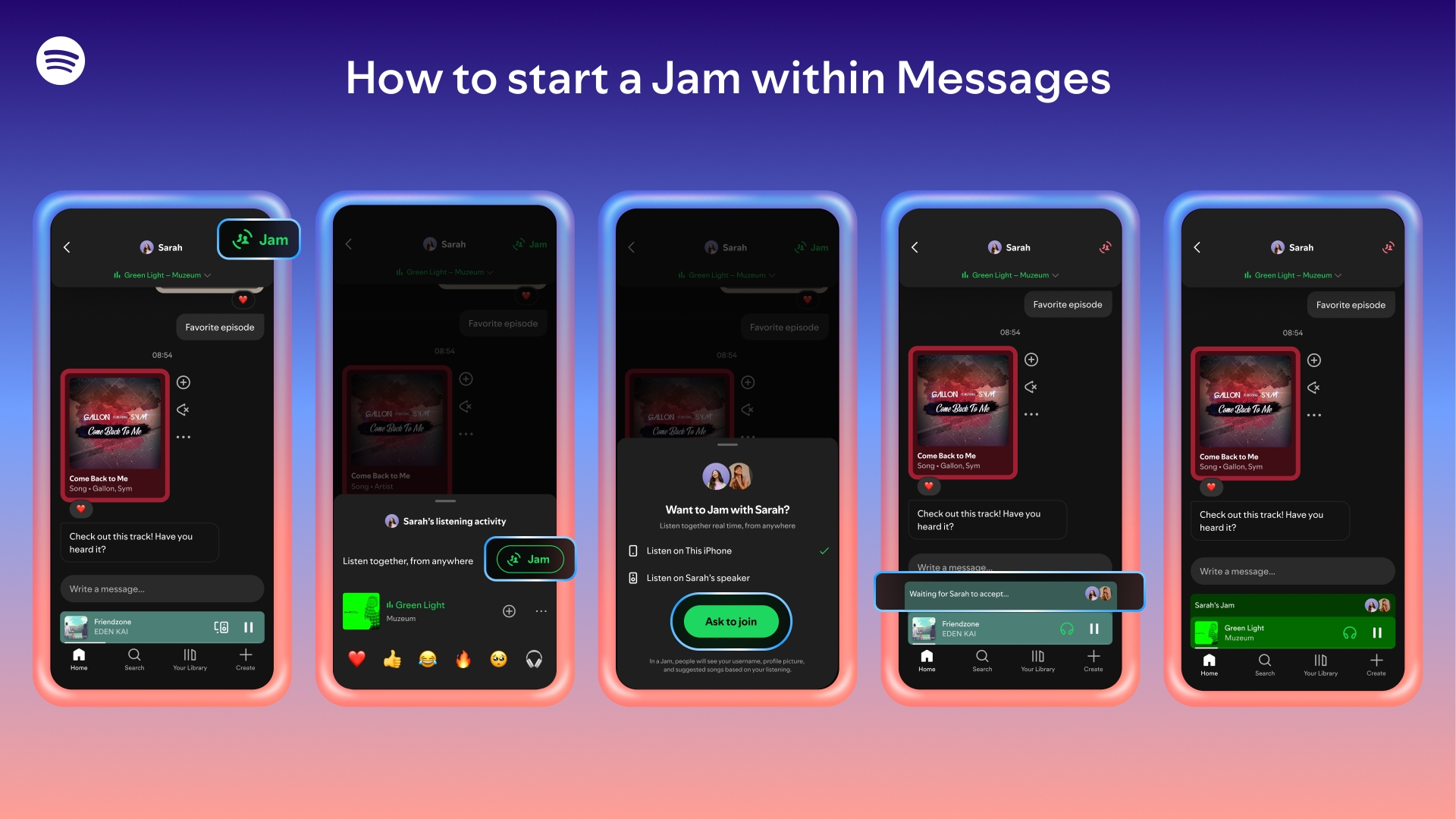
Within a Spotify Messages chat, users can tap Jam in the top right corner to send a request for a remote Jam session. Your friend can either accept or decline the Jam, and if they accept it, they become the host of the Jam session. Both participants can add tracks to a shared queue and listen together. Pending Jam invitations will time out if they aren’t accepted within a few minutes.