The Xreal 1S glasses put a big virtual screen in front of your face, and I'm loving the simplicity and pure entertainment value
SOURCE:TechRadar|BY: Lance Ulanoff
The Xreal 1S
The Xreal 1S AR glasses are the near-perfect solution to your lean-back and enjoy video conundrum. These aren't smart glasses; they're a virtual big screen for almost any USB-C-sporting device with a screen. Between that and the excellent clarity, color, fit, and feel, that may be enough for most people – as long as they can handle the price.
Pros
Lightweight
Higher resolution
Easy to use, instant virtual big screen
A little cheaper
Cons
-
Still looks a bit odd
-
FoV bigger but still a bit limited
-
Not really 'smart' or even AR
Why you can trust TechRadar We spend hours testing every product or service we review, so you can be sure you're buying the best. Find out more about how we test.
Xreal 1S: One-Minute Review
In a world of smart glasses that can listen and speak to you, show you new worlds, and provide information on top of your world, Xreal's brand of display glasses is almost quaint. They're not smart. There's no effort to bring in information from the outside world or redefine how you see the real world. Put simply, this is a virtual 200-inch screen in your backpack, bag, or pocket that you can put on at any moment to enjoy a movie, gaming, or even a much larger laptop work screen.
From a practical perspective, Xreal 1S is a wearable display that uses impressive passthrough technology to take the display feed from almost any display-laden device that offers USB-C output and project it in front of your eyes on a pair of prisms backed by high-resolution Sony Micro-OLED displays.
There's no power source; inside the lightweight frames are powered by the connected device. There is virtually no setup beyond donning the frames and connecting your device.
(Image credit: Lance Ulanoff / Future)
Instead of fancy gesture and gaze control, you still control your external device as you would without the Xreal 1S. You use the touchscreen on your phone, the keyboard and mouse on your laptop, and joysticks on your gaming devices.
The Xreal 1S brings a handful of important upgrades, including brighter screens (now 700 nits, up from 600 nits on the Xreal One), higher resolution (was 1080, now 1200), and a slightly wider field of view (was 50-degree, now 52-degree FoV).
Nestled under some settings in the new eyewear is a new Real 3D capability that can turn virtually everything on-screen, including 2D photos and videos, even an interface, into a 3D landscape. It's a work in progress that, as of this writing, provides decidedly mixed results (I suspect slipstream software updates will improve it over time).
Sign up for breaking news, reviews, opinion, top tech deals, and more.
As for how the eyewear works, the Xreal 1S headset is an excellent companion at home, work, or on the road (think a long flight or commute). It's quite easy to lose yourself in the immersive screen, and now, with a somewhat cheaper device, this might be the antidote to all those more expensive, immersive, and intelligent wearables. It qualifies as one of the best AR glasses I've used to date.
Xreal 1S: Price and availability
(Image credit: Lance Ulanoff / Future)
The Xreal 1S was unveiled on January 4, 2025, and is now available to order in the US and UK from Xreal.com for $449 / £449. [CHECK]
This is notably a $50 price reduction from the Xreal One, while enhancing several features. The Xreal 1S frames are still more expensive than the Meta AI-sporting Ray-Ban Meta Wayfarer Gen 2 ($329), but, despite their intelligence, the Meta frames do not include a pair of displays (See the Meta Ray-Ban Display for that).
Throughout this review, I also test-drove a couple of optional accessories, including the $99 Xreal Eye, a 12MP modular camera, and the Xreal Neo ($99), a battery pack and video passthrough device necessary for using the Xreal with your Nintendo Switch. While the camera is a nice-to-have and nudges the Xreal 1S toward Ray-Ban Meta smart glasses territory (it takes passable photos and fun POV videos), the Neo is a must-have if you want the Nintendo Switch virtual big-screen experience.
Value: 4/5
Xreal 1S: Design
Wired USB-C connection
Lightweight – just 84 grams
Auto-dimming shades
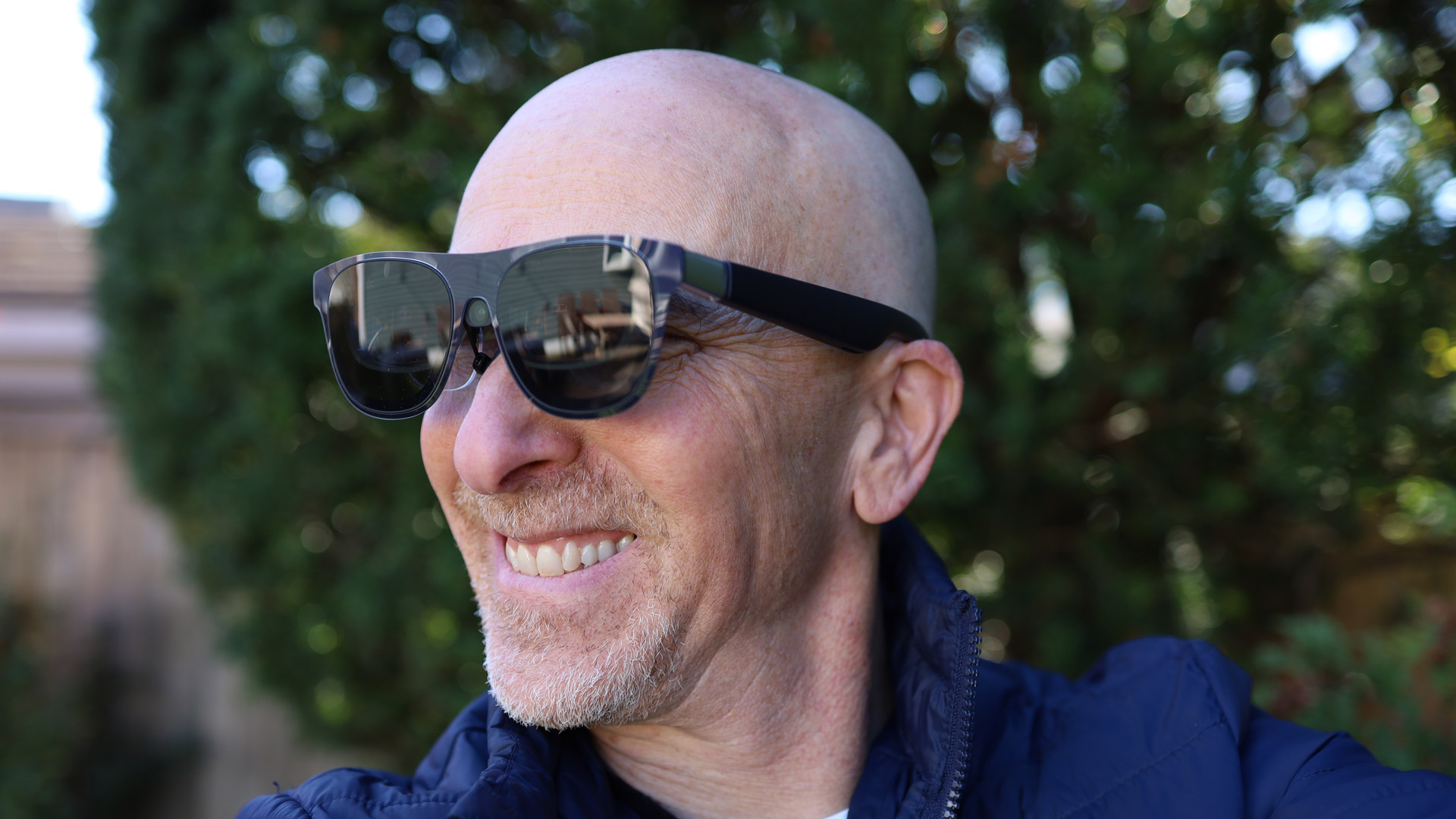
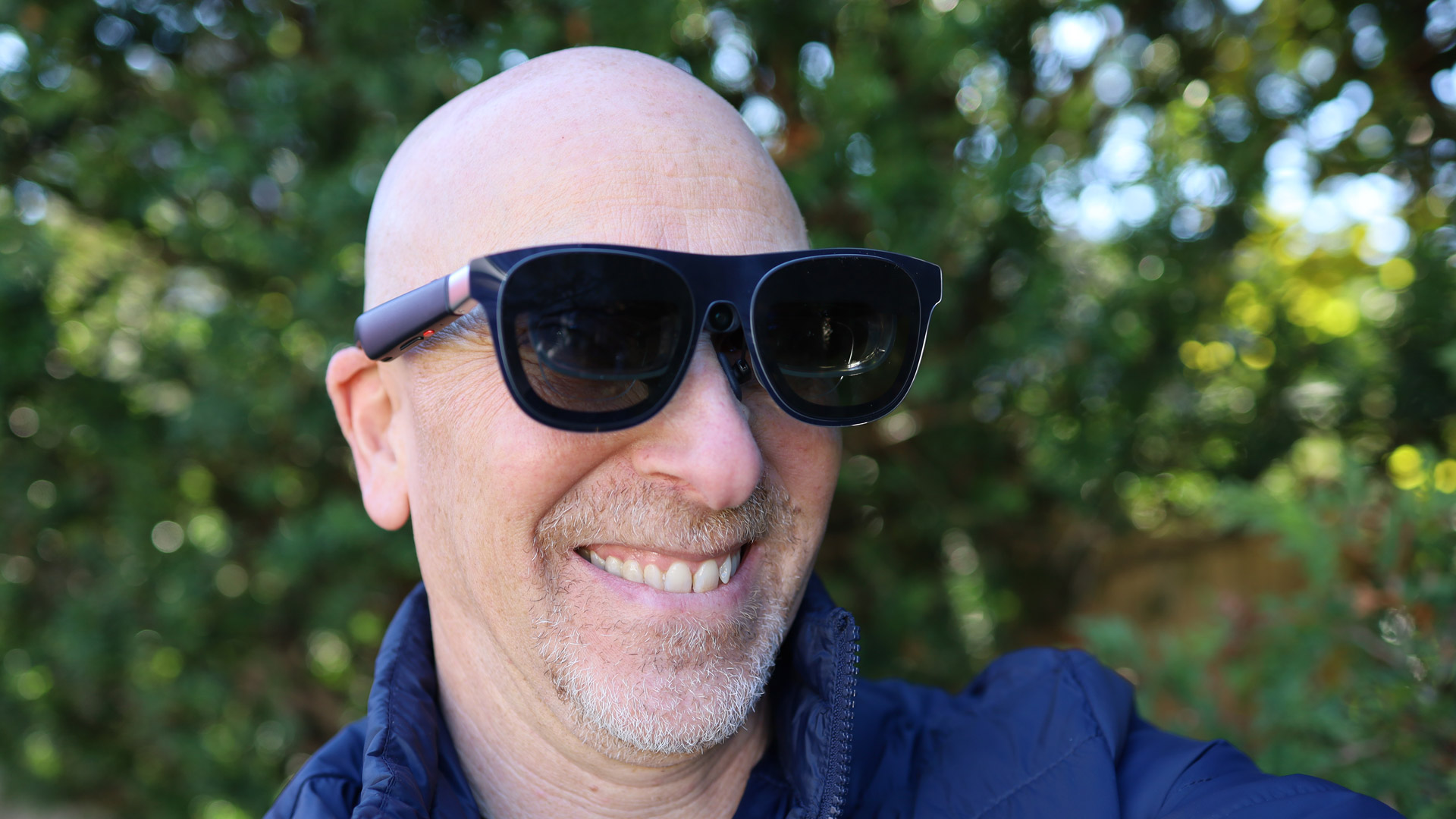
The benefit of the Xreal 1S not being stuffed with technology and battery power is immediately obvious. It's a light, almost stylish piece of eyewear that doesn't weigh heavily on the face.
At a glance, it might be easy to mistake them for a large-ish pair of sunglasses. The flexible stem does get a bit bigger than your standard ones to house microphones, Bose speakers, and, on one side, control and volume buttons.
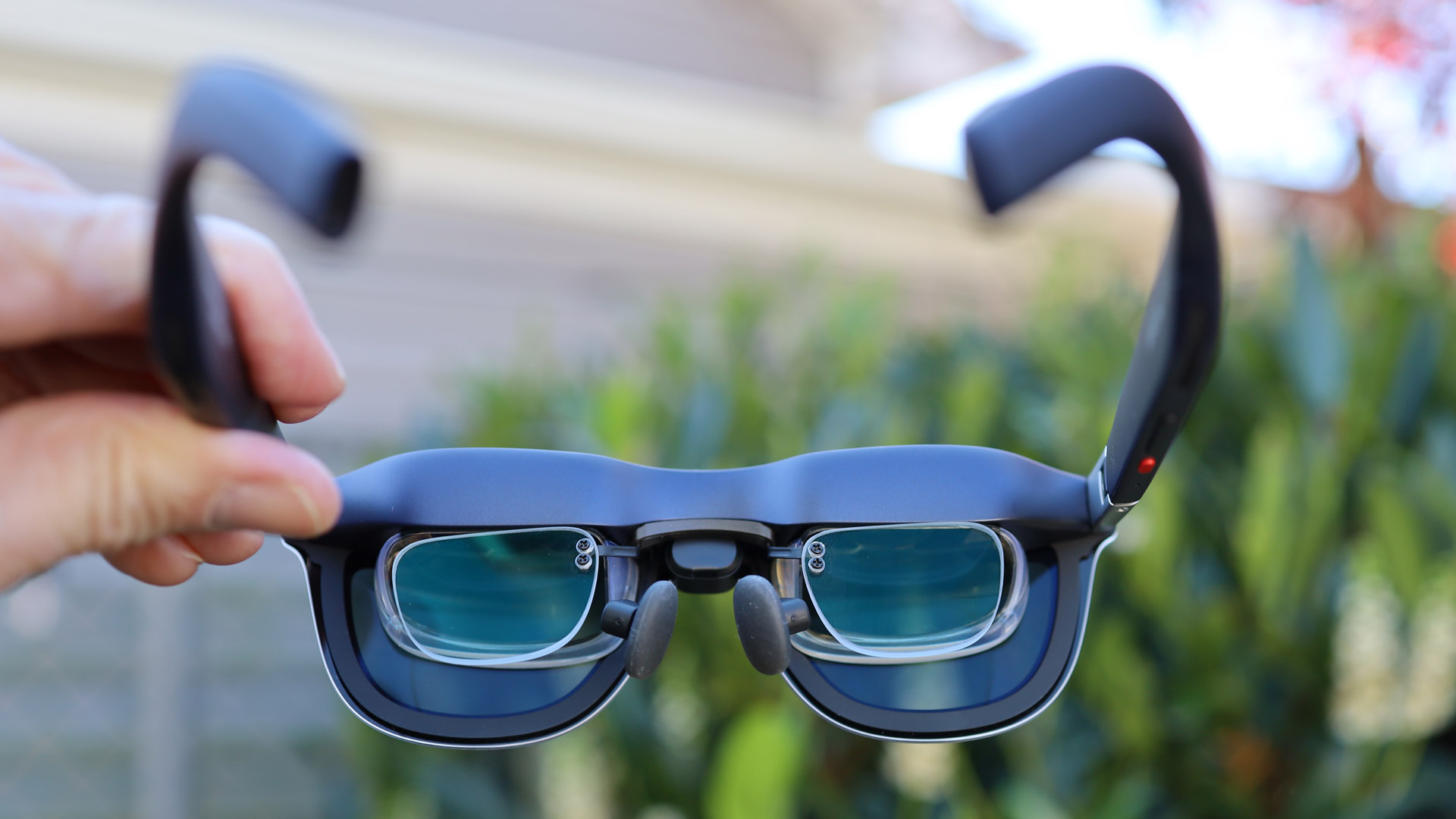
The frames rest comfortably on your nose with a sort of floating bridge. Xreal provides three sizes of nose pads. I was able to stick with the mid-sized.
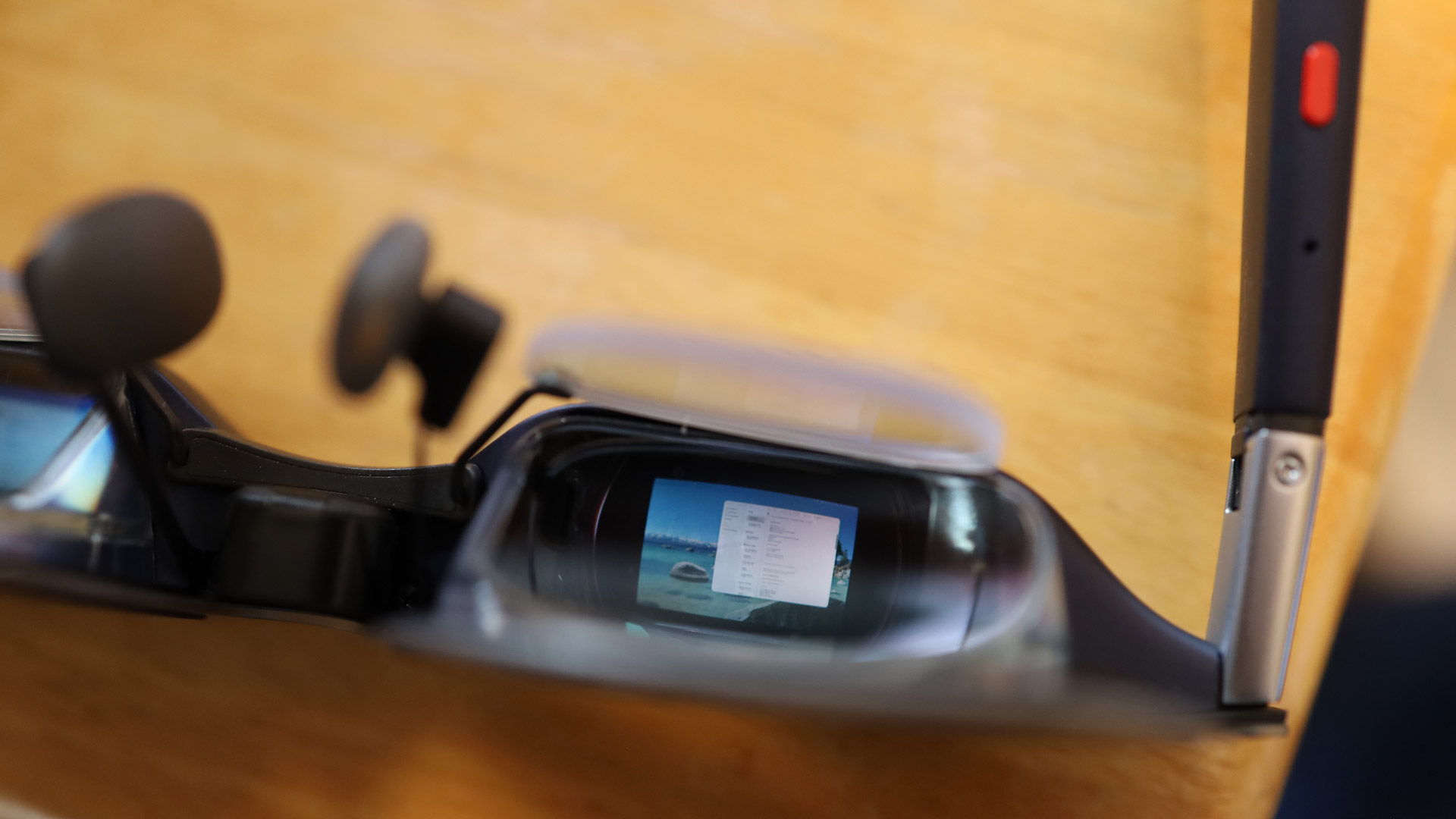
Behind the dimmable lenses are a pair of thick prisms that aim the Sony Micro OLED displays, which sit horizontally at the top of each lens, at each eye.
I wear glasses, and since I can't put contacts in my eyes, I needed the optional $99 prescription insert from Honsvr. It's pretty easy to attach the prescription lens's lightweight frame to the main Xreal 1S housing: you just have to pop out a pair of tiny rubber stoppers (I used a SIM car remover) and then stick the tiny matching stems into the newly exposed holes. Once my prescription was firmly in there, it never shifted or fell out.
Image
1
of
4
(Image credit: Lance Ulanoff / Future)
The good news is that the inserts do not push the frames any further from your face (they're already further away than your standard eyewear). If there's one downside to my inserts, it's that the Xreal 1S already looks a little odd when viewed from the side. Now I have another set of lenses in front of my eyes.
Without a companion system, the Xreal 1S is just an inert pair of awkward-looking glasses.
On the back end of one stem is a USB-C port that accepts one side of the roughly, included 4 ft woven cable (the Xreal 1S also ships with a case and cloth for cleaning). The other end plugs into your device of choice. As I mentioned earlier, there's no external battery. Plugging the Xreal 1S into, say, your laptop automatically powers up the glasses.
(Image credit: Lance Ulanoff / Future)
I also added the optional Xreal Eye modular 12MP camera. Like the subscription lenses, I had to remove a rubber plug before inserting the camera at the peak of the bridge. The camera is useful for capturing decent photos and videos (stored locally, you offload them by plugging the frames into a device and switching to transfer mode). The placement of the camera dead-center on the frames may make them less than welcome in some social situations.
Overall, these are relatively low-key digital frames that won't draw much attention at the office, on a plane, in a train, or at home. They are not for deep immersion of walking about and will draw the occasional stare, but are otherwise well-built for their purpose, and even with a cable running out of the back of one stem, they never feel heavy or uncomfortable to wear.
Design score: 4/5
Xreal 1S: Performance
1200p, 120Hz image at 700-nit brightness
Works with almost any USB-C device with a screen
Good Bose audio
As I mentioned, there's minimal setup to use these display glasses. All you need is a device with a screen and a USB-C port that supports video output.
Inside the Xreal 1S is the X1 chip that handles its video processing duties as well as spatial awareness that allows me to either fix the virtual screen in place or let it follow my gaze.
As soon as I plugged into the frames, they powered up (yes, they draw power from the host system), and within seconds, I saw an extended screen; the system does not instantly present you with the Mac's main desktop. Instead, my MacBook Pro saw the Xreal 1S as another display. I was then able to use the Mac to arrange my displays so that the Xreal 1S virtual display was stacked above my laptop display.
(Image credit: Lance Ulanoff / Future)
After that, I could use the mouse to move windows onto that screen. Because the Honsver prescription inserts only had my near-vision prescription and not the far-vision one to match my progressive eyeglasses, I could not effectively see and use the laptop keyboard while wearing the Xreal 1S.
That's okay, though, it's with entertainment and social content where the Xreal 1S's virtual display really shines.
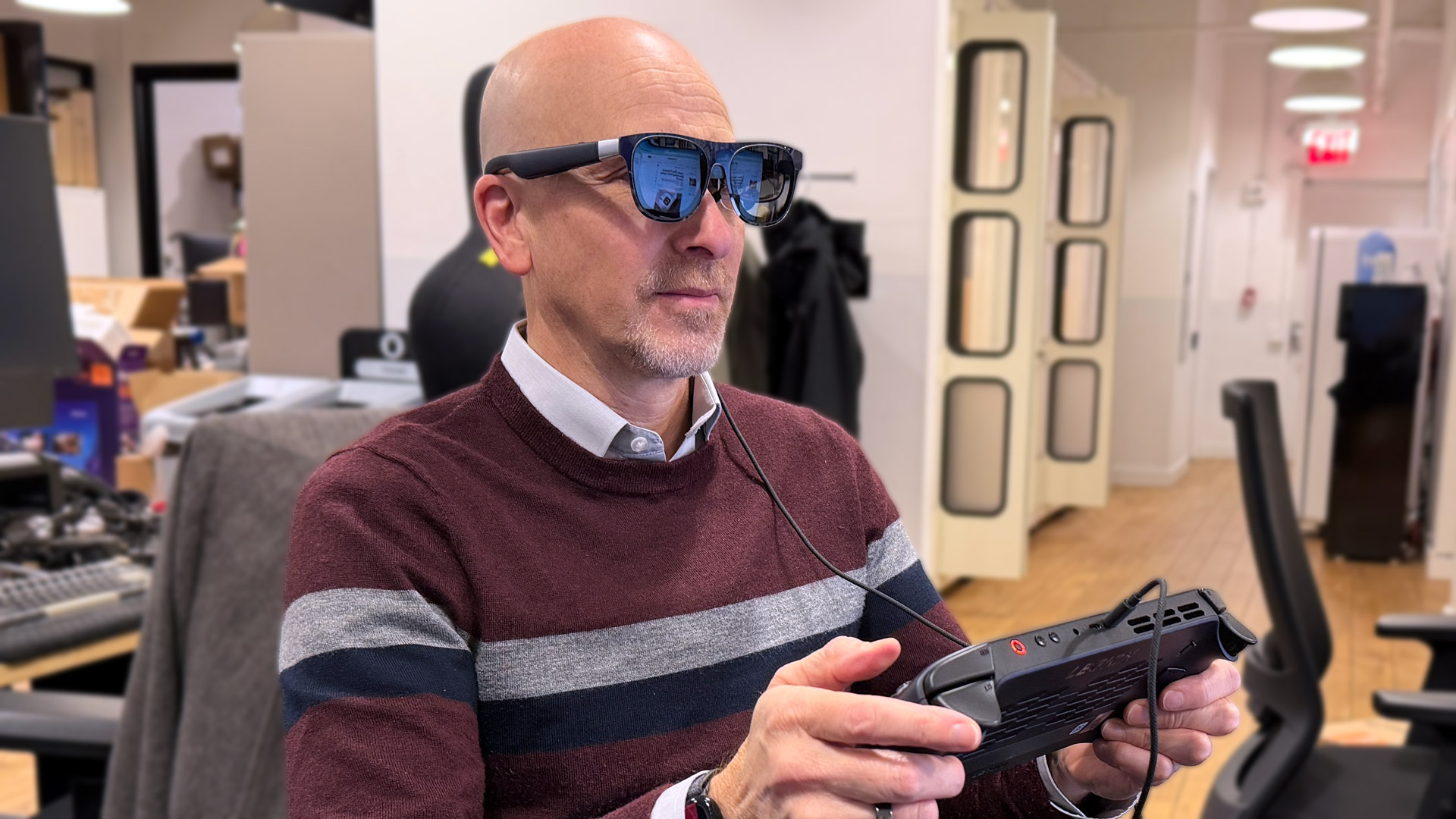
I started my entertainment journey by plugging the lenses into the new Lenovo Legion Go S, where I played Spider-Man Remastered.
As I held the portable game platform in my hand and used the Legion's joysticks to play, I marveled at the large, clear, and colorful virtual display. Not only is the 1200p screen sharp, but the motion is perfectly smooth thanks, in part, to the 120Hz refresh rate, and there is effectively zero lag time (it's been measured at 3ms latency). Even in bright spaces, the now 700nit displays held fast, looking just as bright and solid, almost as if I were in a darkened theater. The Bose speakers delivered clear, crisp, and relatively loud sound to my ears, and I quickly lost myself in the gameplay. If you plan on wearing these while, say, on a flight, I would suggest you use earbuds (they'll still pull audio from the host system) so you don't disturb your seatmates.
(Image credit: Lance Ulanoff / Future)
The Xreal 1S offers two view styles: one fixes the big, virtual screen in place, and if you look away, the display remains anchored in space (this is the extent of the system's spatial capabilities). The other option is to let the screen follow you. Xreal smartly made sure that the screen follows with a smooth lag so that you never feel even a hint of motion sickness.
Switching between these screen modes is easy. You just single-press the control button to anchor the screen or let it move with your gaze. I generally found that I like fixing the screen in place. If you choose the anchored view and you can't see all of the screen, you can long-press the button to realign the view.
There's also the ability to move the screen further away or closer to you, or enlarge os shrink the virtual screen by inch increments. Doing so, though, means accessing the Xreal 1S's slightly confusing menu system. To access the menu, you double-press the control button under the left-hand stem and then press one side of the volume, which also doubles as menu navigation. You can choose to make the screen quite large, but then you're looking all around the 52-degree FoV to see everything. I'd suggest always keeping the four screen corners in full view.
It's through the volume button that you access the lens darkness control. I made it full darkness for a more immersive feel, which is especially useful when watching video.
I next connected the Xreal to my iPhone. As soon as I unlocked the iPhone 17 Pro Max, my virtual screen appeared. I opened social media, including Instagram Reels and TikTok, and had a ball leaning back and flicking through posts on my phone, as the big screen floated in front of my eyes. It's worth noting here that the video feed from the phone to the Xreal 1S does not turn off your iPhone screen. So, yes, someone next to you could still see what you're viewing. You might want to lower the brightness on your iPhone screen for some degree of privacy.
I particularly enjoyed watching Netflix videos in full-screen mode and can honestly imagine myself enjoying a full, big-screen movie on my next cross-country flight.
(Image credit: Lance Ulanoff / Future)
Xreal's new Real 3D mode was in beta when I tested the glasses. It can convert any image or video (even interfaces) into 3D. Some of it looks good, but most of my early experiences with it on the iPhone 17 Pro Max were not great. Some images developed duplicate images behind them (there was me and an outline of me behind me), and others looked jagged. I'll withhold judgment on this feature until I get the final version.
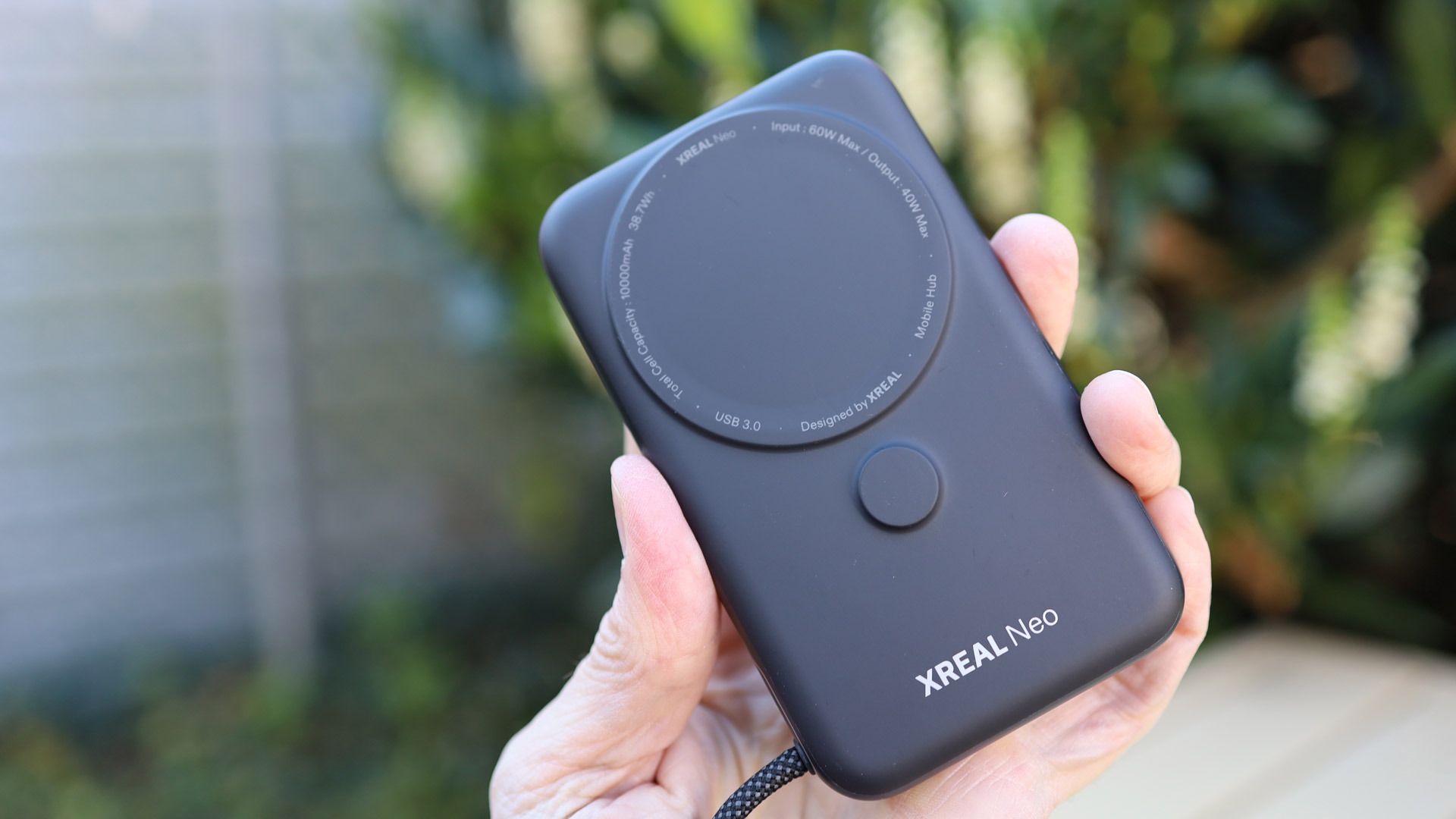
Xreal 1S also works with the Nintendo Switch and Switch 2, but not without a special $99 adapter, the Neo. Nintendo has blocked some third-party video adapters, but Xreal quickly updated the Neo to get around the latest block.
Image
1
of
4
(Image credit: Lance Ulanoff / Future)
Neo is not just an adapter. It's also a 10,000mAh battery backup and can power the Nintendo Switch or any other device you plug into it. It even has an integrated MagSafe-style magnet if you want to attach it to the back of your iPhone.
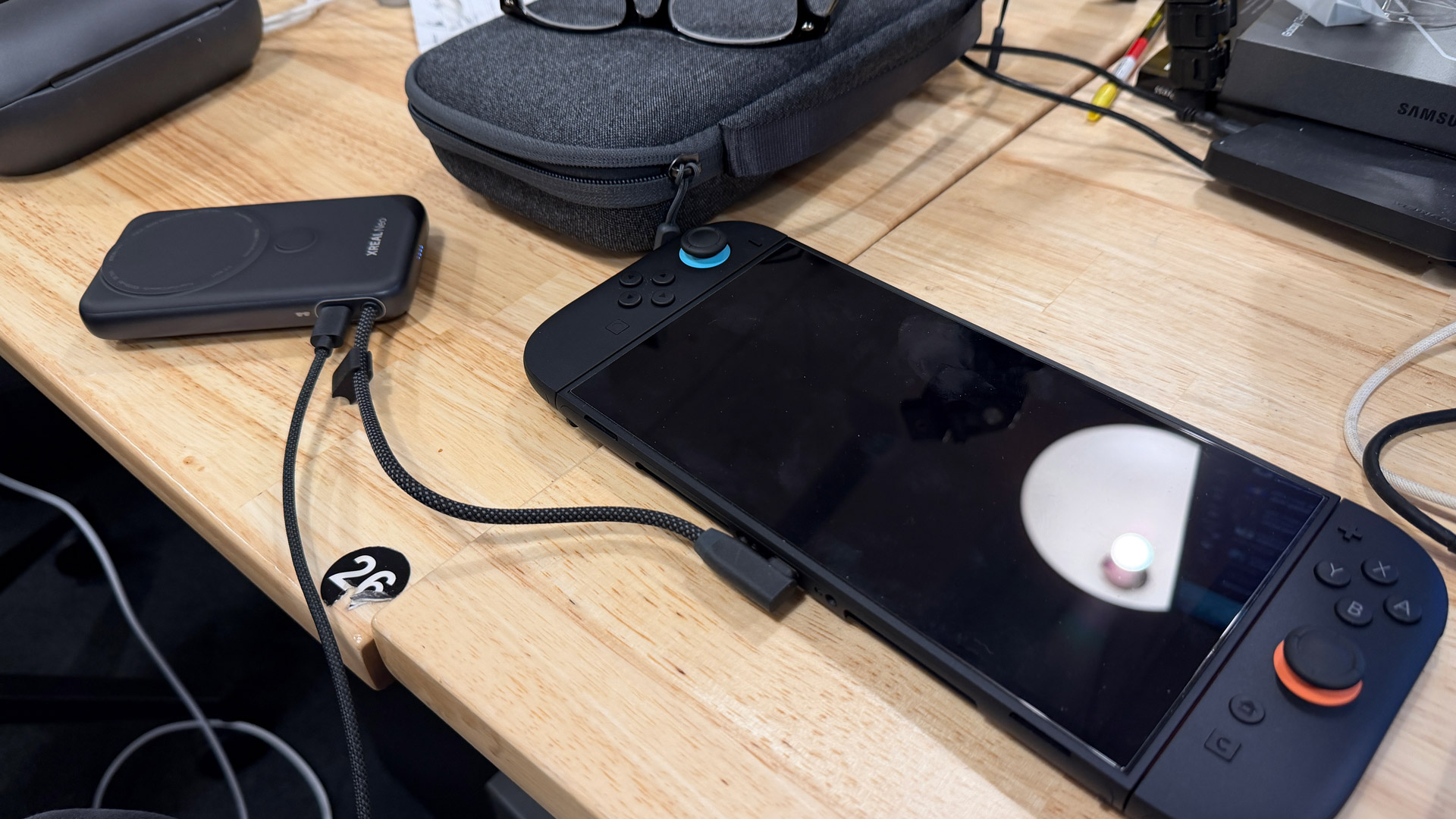
It took me a minute to realize I needed to remove the Joy-Cons from the console to make this work. (Image credit: Lance Ulanoff / Future)
To use the Neo, you connect it to the Nintendo Switch or Switch 2 and then plug the Xreal 1S into the Neo. The Nintendo Switch only works with the adapter in docked mode, which means you need to remove the Joy-Cons. After that, it's another great experience. I played Super Mario Kart on both the Nintendo Switch and Switch 2. It was easy to get lost in the big-screen gameplay, and, in a way, not having to hold the entire Nintendo Switch was a side benefit. To play, I just gripped the two Joy-Cons.
The Neo will work with almost any device, delivering power while also passing the video signal through. You can even plug an external power source into it, which will then let you keep using your third-party device even if it's run out of power (and the Neo is tapped, too). Just remember, the Neo will run you another $99.
Performance score: 4.5/5
Should you buy the Xreal 1S glasses?
Swipe to scroll horizontally
Xreal One Scorecard
Attribute
Comment
Score
Value
The Xreal 1S are more affordable than the last model but with even better visual clarity and a larger viewport. Does that make then fully-worth nearly $500. That deopends on how much you value a lean-back big, virtual screen experience.
4/5
Design
Sticking to one core feature makes these frames lither and more comfortable than most AR glasses. They still have some awkwardness, but are generally attractive and rugged enough to wear whenever yo want a big virtual screen experience.
4/5
Performance
This is an excellent virtual screen experience that enhances social media, gaming and video watching. I do wish the menu system was easier to navigate.
4.5/5
Buy it if…
Don’t buy it if…
Also consider
How I tested the Xreal 1S glasses
I spent a couple of weeks with the Xreal 1S using them to play games. view movies, and pursue social media. I tried them with the Neo adapter on a Nintendo Switch (1 and 2) and also connected that accessory to my iPhone.
A 38-year industry veteran and award-winning journalist, Lance has covered technology since PCs were the size of suitcases and “on line” meant “waiting.” He’s a former Lifewire Editor-in-Chief, Mashable Editor-in-Chief, and, before that, Editor in Chief of PCMag.com and Senior Vice President of Content for Ziff Davis, Inc. He also wrote a popular, weekly tech column for Medium called The Upgrade.
Lance Ulanoff makes frequent appearances on national, international, and local news programs including Live with Kelly and Mark, the Today Show, Good Morning America, CNBC, CNN, and the BBC.
You must confirm your public display name before commenting
Please logout and then login again, you will then be prompted to enter your display name.