TP-Link AXE5400 Wi-Fi 6E Range Extender (RE815XE): a fast, affordable range extender
SOURCE:TechRadar|BY: Cliff Joseph
The TP-Link AXE5400 Wi-Fi 6E Range Extender (RE815XE) is a fast yet affordable range extender for tackling Wi-Fi deadspots.
It’s big and clunky, but the AXE5400 is quick on its feet and good value for money. In fact, its tri-band Wi-Fi 6E performance is more than a match for some newer range extenders that provide dual-band Wi-Fi 7.
Pros
Tri-band Wi-Fi 6E performance
Competitive price
Easy to use
Cons
-
Bulky design
-
App has annoying ads
Why you can trust TechRadar We spend hours testing every product or service we review, so you can be sure you're buying the best. Find out more about how we test.
TP-Link AXE5400: One minute review
Asus RP-AX58: Specifications
Wi-Fi: Wi-Fi 6E Wi-Fi Speed: 5.4Gbps Ports: 1x Gigabit Ethernet Antennae: 4 Dimensions: 348 x 106 x 80mm
Wi-Fi 6E, which the Asus RP-AX58 features, is a bit like the missing link of the Wi-Fi family. It was the first version of Wi-Fi technology to introduce the high-speed 6.0GHz frequency band – in addition to the existing 2.4GHz and 5.0GHz bands used by previous generations of Wi-Fi. However, it never really took off as many people had only just upgraded to Wi-Fi 6, and it wasn’t long before the absurdly fast Wi-Fi 7 came along and made poor old 6E look a bit irrelevant.
We liked TP-Link’s BE3600 range extender thanks to its ease of use and installation, but its dual-band Wi-Fi 7 performance was actually fairly modest, with a top speed of 3.6Gbps. The AXE5400 (model number RE815XE) is around the same price as the BE3600, but the use of Wi-Fi 6E means that it can provide tri-band Wi-Fi performance and a speed of 5.4Gbps that should be more than adequate for use with most home broadband services.
TP-Link AXE5400: Price And Availability
How much does it cost? $139.99/£119.14
When is it available: Now
Where can you get it: US, UK
The AXE5400 costs $139.99/£119.14, which is slightly less expensive than the TP-Link BE3600 with Wi-Fi 7, even though the tri-band Wi-Fi 6E used by the AXE5400 actually provides stronger performance with a top speed of 5.4Gbps.
It’s not currently on sale in Australia, though, where it looks like TP-Link is skipping a generation and going from an older Wi-Fi 6 model to the new BE3600 with Wi-Fi 7 instead.
It’s safe to say that the AXE5400 is not going to quietly and unobtrusively blend into your home décor.
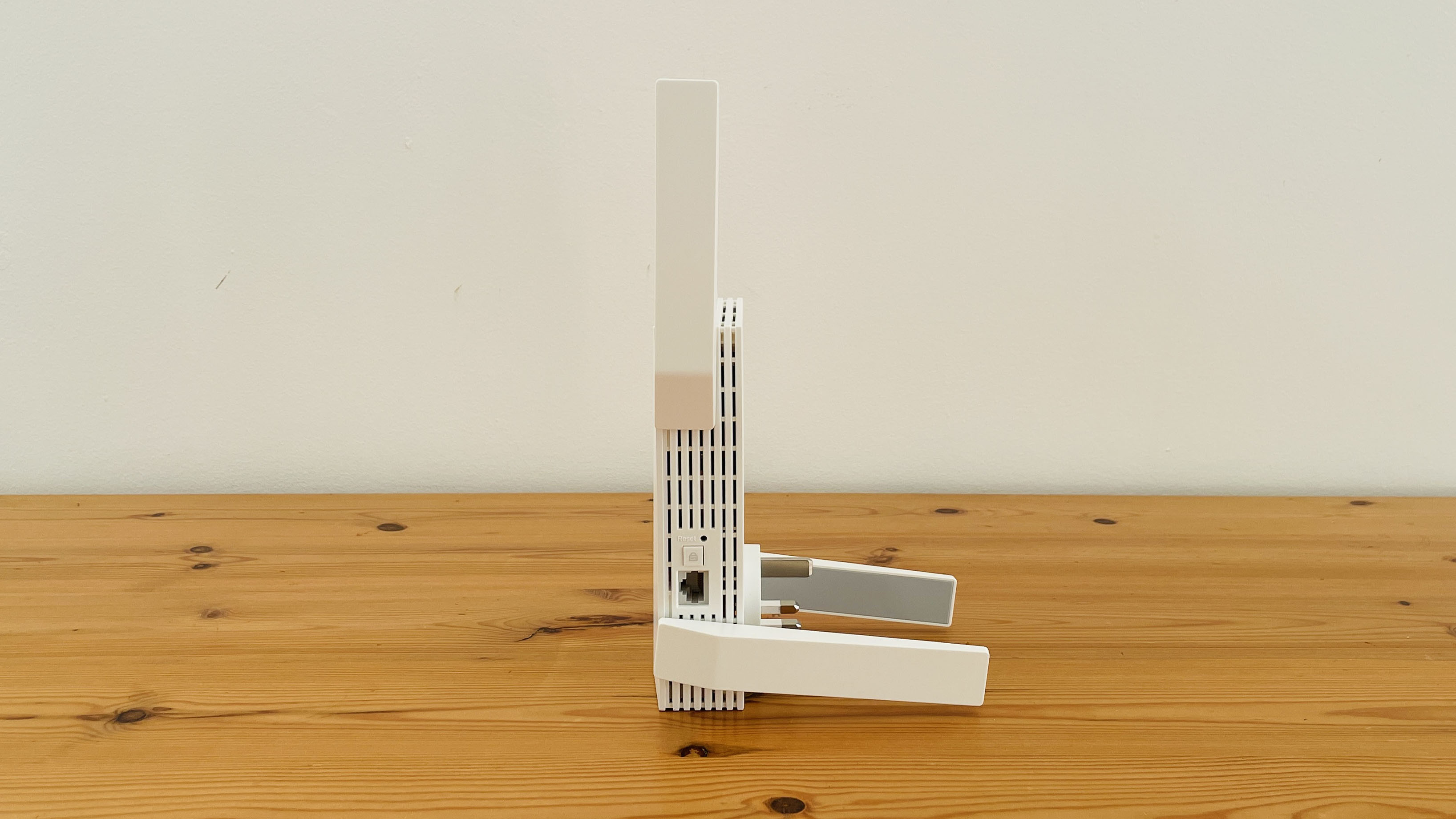
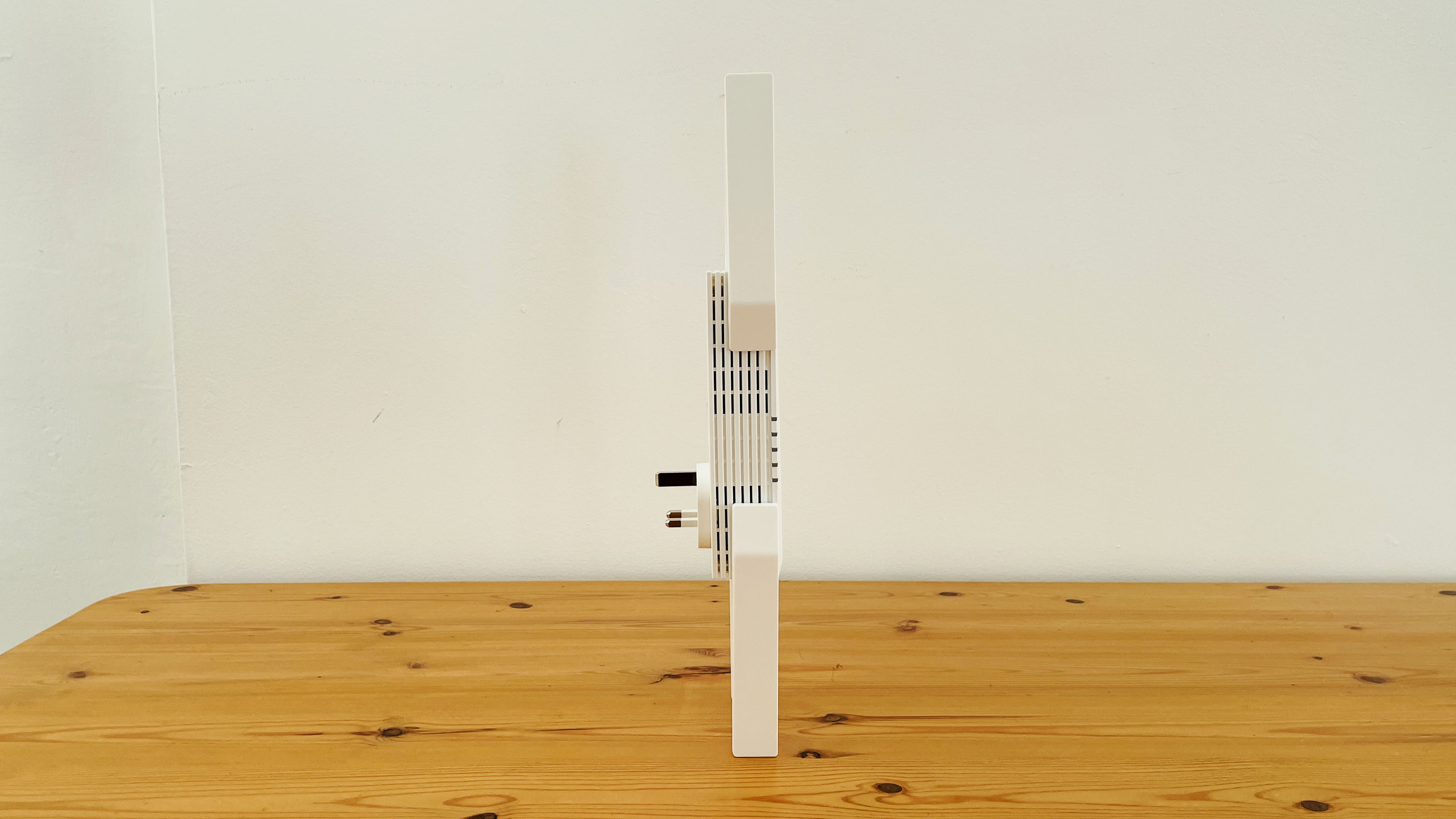
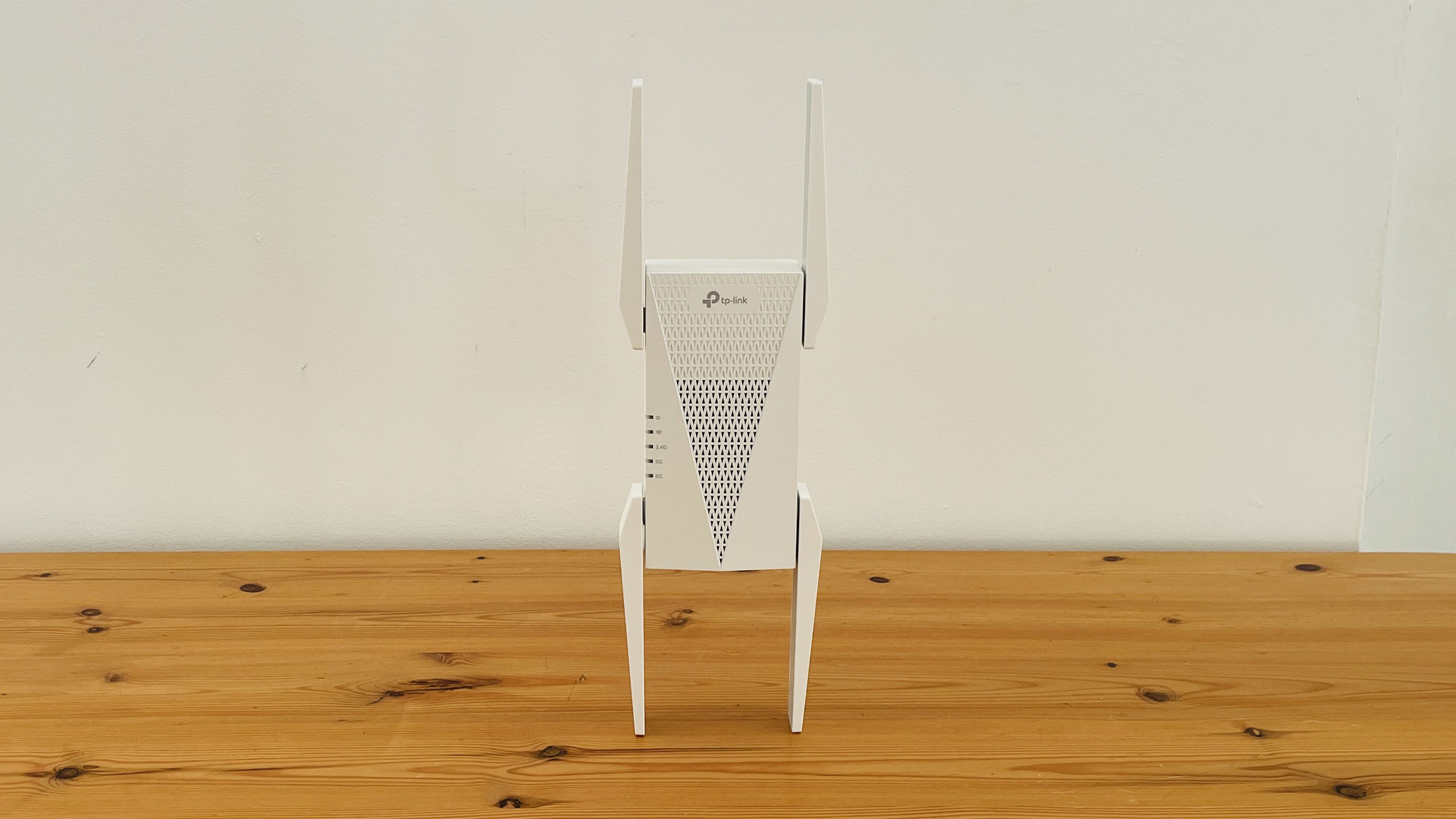
Its four large external antennae make it one of the biggest and bulkiest range extenders we’ve come across, and with the antennae fully extended the AXE5400 measures a full 348mm high, 106mm wide and 80mm deep (including the plug section that is inserted straight into a mains power socket).
Sign up for breaking news, reviews, opinion, top tech deals, and more.
In fact, it’s so large that it actually blocked an adjacent power socket when we set it up in our offices. There’s also a series of status indicator lights on the front panel, which are useful when setting up the AXE5400, but also mean that it may take up even more space in order to keep the front of the unit clear and visible.
The bulky design does serve a purpose though, as the large antennae help to beam the range extender’s tri-band Wi-Fi signal far and wide, and ensure that it obliterates any annoying deadspots in your home. There’s an Ethernet port on the right-hand side of the unit to provide a wired connection too – although, of course, the AXE5400 still relies on Wi-Fi to connect to your main broadband router.
Design: 3.5/5
(Image credit: Future)
TP-Link AXE5400: Features
Simple installation
Helpful status indicators
Plugs directly into mains power socket
It may not support the latest Wi-Fi 7, but the AXE5400 includes plenty of features that enable it to provide strong Wi-Fi performance, and also to help people who may not have used a range extender before.
The use of tri-band Wi-Fi 6E allows the AXE5400 to broadcast a Wi-Fi signal on three separate frequency bands. The 2.4GHz and 5.0GHz bands provide compatibility with older PCs and mobile devices, while the high-speed 6.0GHz band boosts the Wi-Fi performance to a healthy 5.4Gbps – which is significantly faster than dual-band range extenders that use Wi-Fi 7, such as TP-Link’s BE3600, or the Asus RP-BE58.
And, as mentioned, there’s a Gigabit Ethernet port on the AXE5400 to provide a wired connection as well. It also provides a feature called ‘adaptive path selection’ – often just called ‘roaming’ by most other manufacturers – which can monitor a laptop or mobile device as you move from room to room, and decide when to hand the Wi-Fi connection back to your main router in order to maintain the best performance.
Like most range extenders, the AXE5400 will work with routers from any manufacturer, but it also supports TP-Link’s OneMesh system, which allows it to be used as part of a wider mesh networking system if you already own a TP-Link router with OneMesh.
It’s easy to use too (although the annoying Christmas ads that seemed to pop up every now and then within the app were pretty shameless). The TP-Link Tether app can automatically detect the Wi-Fi signal from the AXE5400 and guide you through the process of connecting to the three different frequency bands.
You can use the same name and password as your main network from your broadband router, or create a new name and password just for the AXE5400. There’s even a signal test within the app to help you find the best spot to place the AXE5400 in order to deal with any deadspots in particular rooms within your home. And, for more advanced users, there’s a web browser interface that provides more detailed control over your network settings.
Features: 4/5
(Image credit: Future)
TP-Link AXE5400: Performance
Tri-band Wi-Fi 6E
5.4Gbps Wi-Fi
1x Gigabit Ethernet
Our offices are a good place to test range extenders, as we have one office towards the back of the building that does suffer from a very noticeable Wi-Fi deadspot – which is usually managed with the use of some PowerLine adaptors to provide a wired network connection instead.
TP-Link AXE5400 benchmarks
Ookla Speed Test – 2.4GHz (download/upload)
Within 30ft, three partition walls: 140Mbps / 140Mbps
20GB Steam Download - 2.4GHz
Within 30ft, three partition walls: 110Mbps
Ookla Speed Test – 5.0GHz (download/upload)
Within 30ft, three partition walls: 150Mbps / 150Mbps
20GB Steam Download - 5.0GHz
Within 30ft, three partition walls: 150Mbps
Ookla Speed Test - 6.0GHz (upload/download)
Within 30ft, three partition walls: 150Mbps/150Mbps
20GB Steam Download - 6.0GHz
Within 30ft, three partition walls: 150Mbps
Thankfully, though, the AXE5400 dealt with that problem in no time at all, providing a strong Wi-Fi signal on all three frequency bands as soon as I set it up in a hallway just outside that back office.
The office broadband runs at 150Mbps, and even the slower 2.4GHz band on the AXE5400 managed to hit 140Mbps with the Ookla Speed Test. Steam downloads were a little slower at 110Mbps, but that speed is still in line with the 2.4GHz performance of other range extenders that we’ve tested.
Switching to the 5.0GHz band immediately boosted performance, hitting the full 150Mbps with both the Ookla and Steam tests. And, of course, the fastest 6.0GHz band had no trouble maintaining those speeds as well.
If you only have older PCs or mobile devices that use Wi-Fi 5 or 6 on the 2.4GHz and 5.0GHz bands then you may not need a tri-band range extender such the AXE5400.
But, if you’re able to make use of that 6.0GHz band, then the AXE5400 is a fast, reliable way of getting rid of Wi-Fi deadspots at a more competitive price than newer Wi-Fi 7 models.
Performance: 4/5
Should You Buy The TP-Link AXE5400?
Swipe to scroll horizontally
TP-Link AXE5400 Scorecard
Attributes
Notes
Score
Value
Wi-Fi 6E may be the forgotten member of the Wi-Fi family, but that means you can pick up this tri-band range extender at a very competitive price.
4.5 / 5
Design
The sheer size of the AXE5400 and its four large antenna means that it’s a bit of an eyesore, and may even block an adjacent power socket.
3.5 / 5
Features
The four antennae do earn their keep though, providing tri-band Wi-Fi for maximum compatibility with both older and newer PCs and mobile devices.
4 / 5
Performance
Tri-band Wi-Fi and a top speed of 5.4Gbps means that the AXE5400 can even outperform some of its dual-band Wi-Fi 7 rivals.
4 / 5
Final Score
Good performance, maximum compatibility, and an easy-to-use app make this a great option for anyone that needs to fix a Wi-Fi deadspot.
4 / 5
Buy it if...
Don’t buy it if...
Also Consider
If you're undecided about the TP-Link AXE5400, I've compared its specs with two other options that might be a better fit.
Swipe to scroll horizontally
Row 0 - Cell 0
TP-Link AXE5400
Asus RP-BE58
TP-Link RE700X
Price
$139.99/£119.14
$99.99/79.99/AU$150
$119.99/£56.99/AU$123.90
Wi-Fi
Wi-Fi 6E
Wi-Fi 7
Wi-Fi 6
Wi-Fi Speed
5.4Gbps
3.6Gbps
3.0Gbps
Antennae
4 (external)
2 (internal)
2 (internal)
Ethernet ports
1x Gigabit Ethernet
1x Gigabit Ethernet
1x Gigabit Ethernet
Dimensions
348 x 106 x 80mm
150 x 72 x 87mm
149 x 78 x 36mm
Cliff Joseph is a former Editor of MacUser magazine, and a freelance technology writer with 30 year’s experience in the industry (and old enough to remember when Apple was close to going bust…).
His first job involved using Macs for magazine sub-editing and typesetting, which led to the realisation that these computer-thingies might actually turn out to be useful after all. After a few years specialising in the Mac side of the market, he went freelance and embraced the wide world of digital technology, including Windows PCs, digital audio and hi-fi, and networking. Somewhere along the line he also developed a bit of a gaming habit and has stubbornly waved the flag for Mac gaming for far too many years.
You must confirm your public display name before commenting
Please logout and then login again, you will then be prompted to enter your display name.